Back to feed

Not sure how to fill out Custom Classes

Korok · 6 months ago · 12 replies · 487
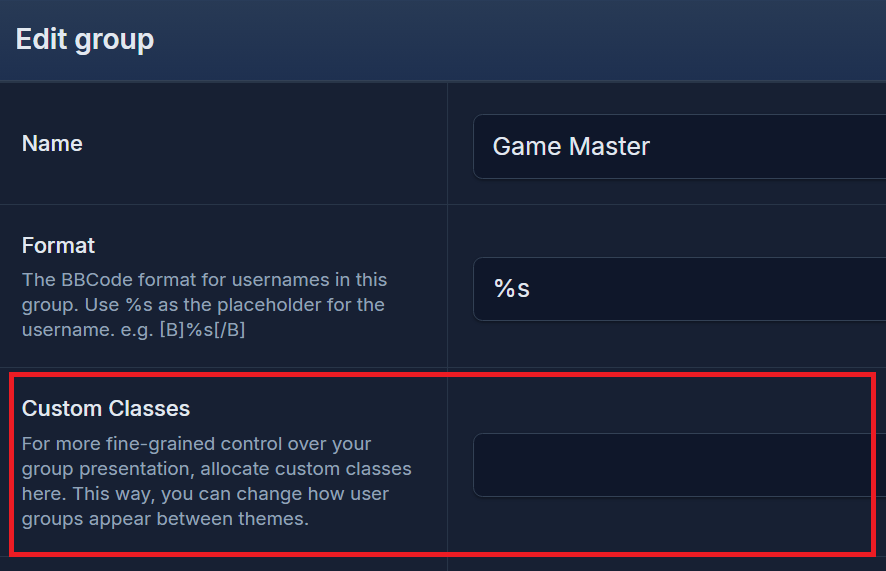
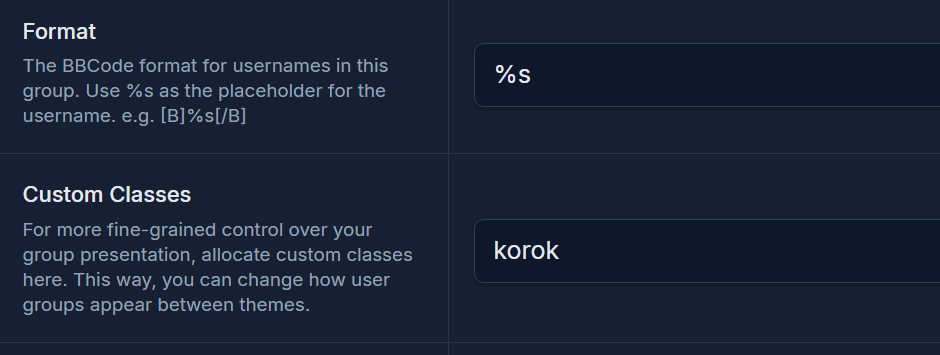
Sorry, I don't know why that image is so huge.

I don't know how to fill out the "custom classes" field. I've tried "korok" "<span class="korok">" and "<span class="korok">%s</span>." I checked the documentation/guide, but it doesn't specify how we're supposed to field out either.

Thanks in advance!

12 replies
Cedric · 6 months ago

Yes, it can be confusing.

in custom CSS you’d add your styling:

.korok { CSS here }

In the group custom class you’d call the styling as korok

Korok OP · 6 months ago

On Apr 7, 2026, Cedric said:

Yes, it can be confusing.

in custom CSS you’d add your styling:

.korok { CSS here }

In the group custom class you’d call the styling as korok

Okay, so to make sure I'm doing this right...

Format: <span class="Korok">%s</span>

Custom Classes (Field): .korok { CSS here }

Or would it be (because it shows bbcode):

Format: [span class="Korok"]%s[/span]

Custom Classes (Field): .korok { CSS here }

I'm not sure if I'm understanding right, but I'll give it a shot.

Cedric · 6 months ago

No, you would just enter korok of whatever css class name in custom class. No dot before, no styling. The CSS .korok { css } would be in your custom css in the theme. 😊

Korok OP · 6 months ago

On Apr 7, 2026, Cedric said:

No, you would just enter korok of whatever css class name in custom class. No dot before, no styling. The CSS .korok { css } would be in your custom css in the theme. 😊

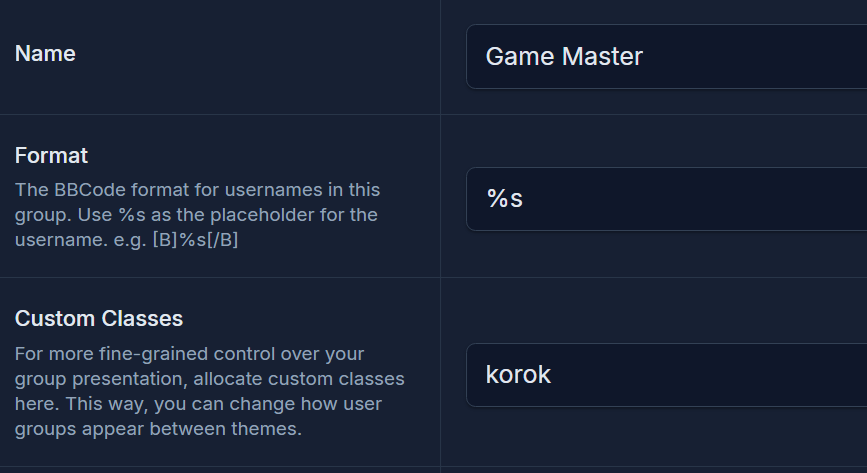
I did that as mentioned in my first post, but nothing happened. Here are the screenshots. (It's just "red" for testing")

Unless I'm still doing it wrong. The bbcode field shows up just fine, though.

Cedric · 6 months ago

This is how it should be:

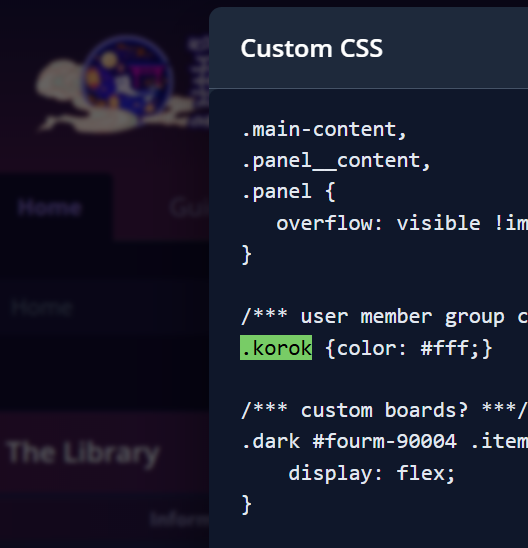
And in Custom CSS:

Are you adding this in the correct theme?

Korok OP · 6 months ago

On Apr 7, 2026, Cedric said:

This is how it should be:

And in Custom CSS:

Are you adding this in the correct theme?

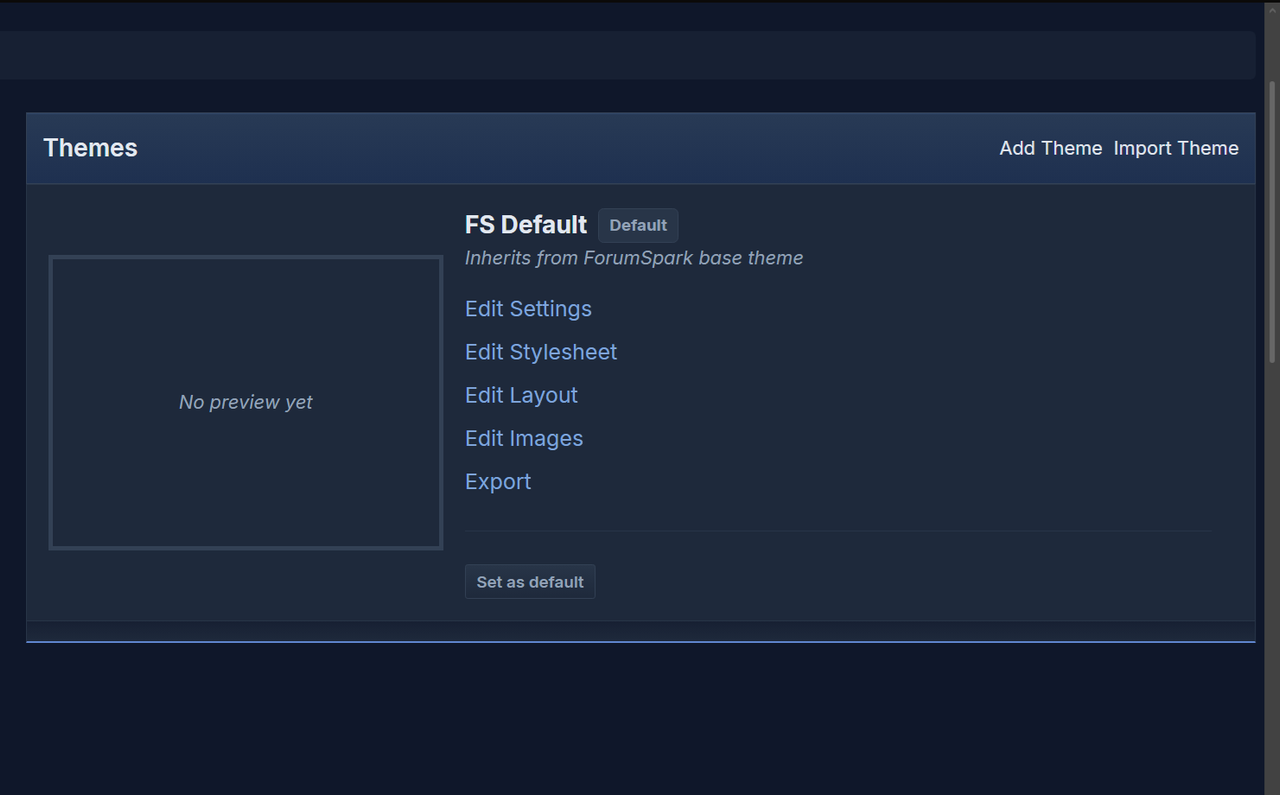
I only have the one theme.

Edit: I changed it to hex (the test) and it's still not showing up.

Showing there's only one theme:

Cedric · 6 months ago

That is odd. It works here, so it should theoretically work on your board too. But I’ll have a look in a little while and report back.

Korok OP · 6 months ago

Thank you, Cedric. Sorry for the trouble.

Cory · 6 months ago

Try changing this:

.korok {color: #fff;}

To this:

a.korok {color: #fff;}

That will give it more specificity to override other selectors.

Korok OP · 6 months ago

On Apr 8, 2026, Cory said:

Try changing this:

.korok {color: #fff;}

To this:

a.korok {color: #fff;}

That will give it more specificity to override other selectors.

Thanks. c:

It didn't work either, so I tried !important with it to see if it did anything. I got both .korok and a.korok to work with !important. Nothing in my CSS is targetting it, though. I suspect it's the theme editor's "colour palette > pages > link color" and the !important is overriding that. Not sure.

Cory · 6 months ago

Here's the selector that was overriding it:

Korok OP · 6 months ago

On Apr 9, 2026, Cory said:

Here's the selector that was overriding it:

Yeah, it's using the theme editor stuff I mentioned before. I'll just !important. Thanks, Cory c:

Create a free account to join the conversation.
Sign up free
ForumSpark © 2023 - 2026 · ForumSpark.net · Terms