Borrowing a topic from an old forum.
I remember:
- Spider-man
- Spider-man and Friends
- Biker Mice from Mars
- Power Rangers
- Street Sharks
-Darkwing Duck
- Batman
- X-Men
- Gargoyles
- Dexter's Laboratory
- Batman Beyond
I could keep going, so many good cartoons from the 1990's.
What about the rest of you 90's kids?
Name: Kiln
Author: @prophet
Preview: Click Here

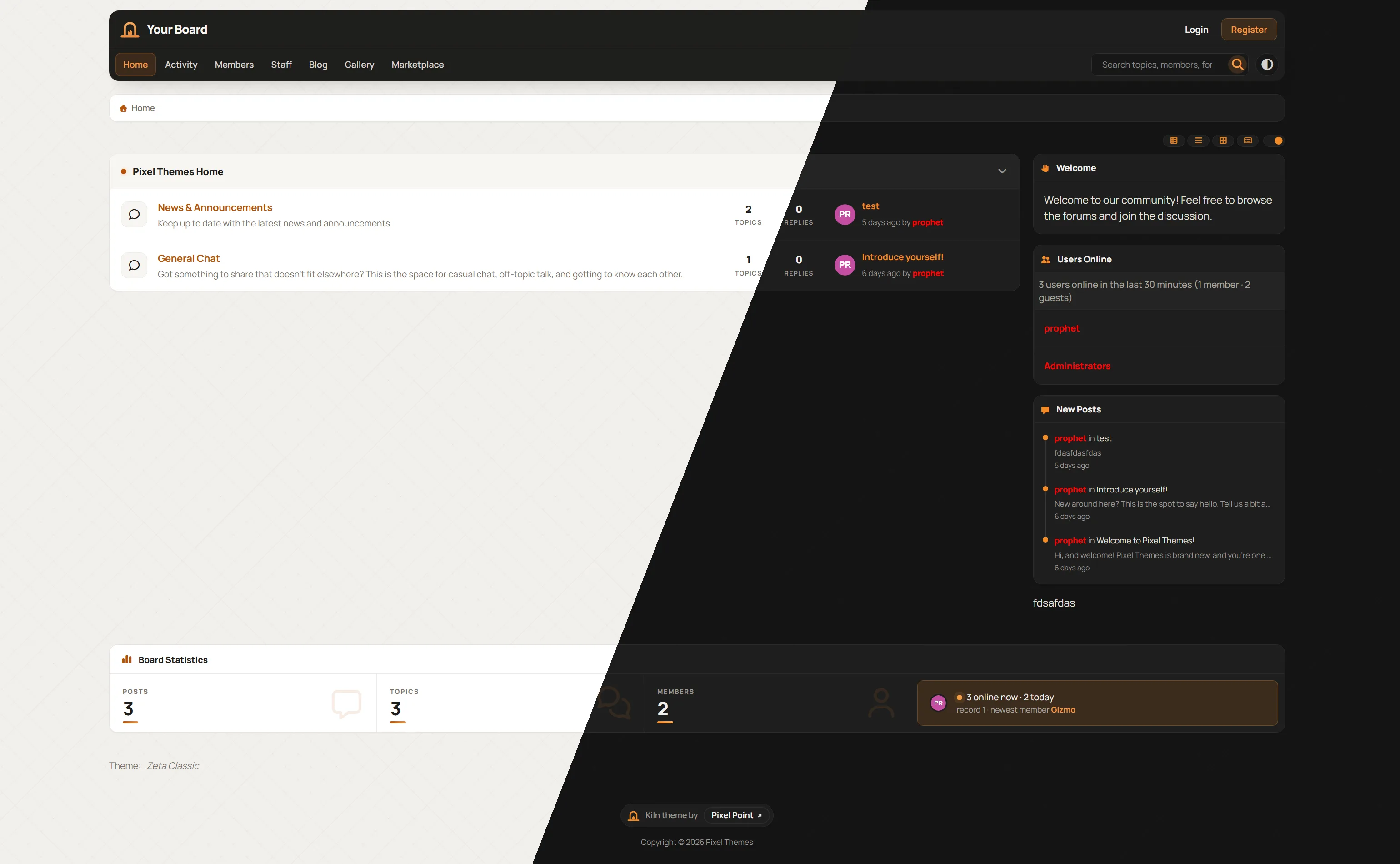
Notes: Kiln is a warm, dashboard-style forum theme with light and dark modes:
Header: one dark rounded header holds the logo, the menu, and a rounded search bar beside the light/dark switch.
Logo: an editable text logo next to the kiln mark, an arched kiln door with a flame inside.
Colours: stone paper with a faint crosshatch and crisp white cards. A single burnt-amber accent glows brighter at night.
Forums: categories have tinted headers with an amber dot. Forums get rounded icon tiles, amber names and bold counts.
Board statistics: a strip of big figures with a live “online now” tile.
Tooltips: the hover tooltips match the theme.
Customising: every colour can be changed in Theme Studio, and extra options cover the board width, sidebar, search size and crosshatch.
Installing: upload kiln.theme.json as a theme package, then activate it under Admin > Appearance > Themes. The included README covers editing the logo, colours and extra settings.
File Link: kiln.zip
This awesome website does a wonderful job of compiling a list of songs from various TV shows, movies and the like. They usually even have a description of the scene in the movie or episode of the show that it corresponds with.
https://www.tunefind.com/
It's a relatively simple game inspired by the local rock radio station.
You simply fill in the blanks.
I love ___ but ___
Example:
I love ice cream but hate the brain freezes.
So, let's begin then!
I love _ but _
The ever popular game has returned!
^ = something about the user above you
< = something about yourself that hasn't already been mentioned or isn't known
v = something about who you believe will post after you
I'll begin!
^ There is no user above me.
< I have two dogs
v Will be a male
Consider the thread more the equivalent of writing a letter to someone and then burning it. Get your feelings out if you must but if you have to rant so specifically that the original person (and everyone else) knows who you're talking about, take it to a private venue.
LADIES AND GENTLEMEN! THE MOMENT IS NOW, THE TIME IS NIGH, THE ULTIMATE BATTLE BETWEEN THE SEXES IS HERE!!
We're going to do this the proper way this time! We're going to start with the number 500. Women are going to count up with the goal of hitting 1,000 and men are going to count down with the goal of hitting 0. First to reach their goal wins and we start a new thread.
So to show it in an example:
Starting number 500.
Johnny posts next -1 = 499
Jill posts next +1 = 500
Got it?
Good!
Here...
We...
Go....
500
We all have issues with our job. To save space and cluttering up the rest of the community with threads dedicated to its discussion, this thread will save time and space.
Keep it civil and respectful though.

Graphics Gallery Guidelines
Welcome to the Pixel Point Graphics Gallery! This is the place to share your graphics and artwork, including signatures, avatars, banners, logos, wallpapers, and anything else you’ve created.
Posting Your Graphics
Only post your own work. Don’t post graphics you didn’t make, or edits of someone else’s work without their permission.
Credit your resources. If you used stock images, renders, brushes, textures, or fonts, credit the creators in your post.
Post the image itself. Upload your graphics or embed them so members can see them without leaving the topic.
Tell us about it. A few words about the piece, the program you used, or what inspired it is always welcome.
Keep it family-friendly. Adult, hateful, or graphic content isn’t allowed.
One topic per piece or set. Group related graphics together, and add new versions to your existing topic.
Using Graphics
Ask before using. Don’t use, edit, or repost someone else’s graphics unless the creator says you can.
Never claim someone else’s work. Always give credit where it’s due.
Feedback
Be constructive. Feedback is welcome, but keep it kind and helpful. Point out what works as well as what could be improved.
Staff may remove any graphic or topic that breaks these guidelines. If you have any questions, feel free to reach out to a member of staff.

Codes & Widgets Guidelines
Welcome to Codes & Widgets! This is the place to share CSS, JavaScript, HTML, widgets, and snippets that help members customize their ForumSpark forums.
Posting Your Code
Only post your own work. If your code builds on someone else’s, get their permission and credit them.
Use code blocks. Put your code in a code block so it keeps its formatting and is easy to copy.
Explain what it does. Describe what the code changes and add a screenshot or preview if you can.
Include instructions. Explain where the code goes, such as custom CSS, a widget, or a template, and any settings that need to be changed.
Note any requirements. Mention which ForumSpark layout it’s for and anything else it relies on.
Test before posting. Make sure your code works, and note any known issues.
Keep it safe. Code that steals data, tracks members without their knowledge, or harms forums isn’t allowed.
One topic per code. Post updates in your existing topic instead of making a new one.
Using Code
Follow the creator’s terms. Don’t redistribute or resell someone else’s code, or claim it as your own.
Keep the credits. If the creator includes a credit comment, leave it in place.
Ask for help in the code’s topic. That way, the creator and other members can find the answer later.
Staff may remove any code or topic that breaks these guidelines. If you have any questions, feel free to reach out to a member of staff.

Tutorials Guidelines
Welcome to Tutorials! This is the place to learn and teach design, theming, coding, and graphics skills, from beginner basics to advanced techniques.
Posting a Tutorial
Only post your own tutorials. If you’re sharing someone else’s tutorial, link to the original with credit instead of copying it.
Use a clear title. Say what the tutorial teaches, such as “How to Make a Gradient Userbar in GIMP.”
List what’s needed. Mention the program, skill level, and any resources needed before starting.
Explain it step by step. Break the tutorial into clear steps, and add screenshots where they help.
Show the result. Include an image of the finished result so members know what they’re working toward.
Credit your resources. If you used someone else’s brushes, fonts, images, or code, credit them.
Following a Tutorial
Share your results. Post what you made in the tutorial’s topic. It’s a great way to thank the author.
Ask questions in the topic. If you get stuck, ask in the tutorial’s topic so others can benefit from the answer too.
Be kind. Everyone learns at their own pace, so keep feedback constructive.
Staff may remove any tutorial or topic that breaks these guidelines. If you have any questions, feel free to reach out to a member of staff.

Theme Gallery Guidelines
Welcome to the Pixel Point Theme Gallery! This is the place to share your ForumSpark themes with the community, whether they’re full themes, skins, or color variations.
Posting Your Theme
Only post your own work. Don’t post themes you didn’t make, and don’t post edits of someone else’s theme without their permission.
Credit your resources. If you used someone else’s code, images, fonts, or icons, credit them in your post.
Include a preview. Add at least one screenshot so members can see the theme before using it. A light mode and a dark mode screenshot is even better.
Add a short description. Tell members the theme’s name, its style, and what’s included.
List any requirements. Mention which ForumSpark layout the theme is for and any extra steps, such as widgets or images that need to be uploaded.
One topic per theme. Post updates in your existing topic instead of making a new one.
Using Themes
Follow the creator’s terms. Don’t redistribute, resell, or claim someone else’s theme as your own.
Keep the credits. If the creator includes a credit link, leave it in place unless they say you can remove it.
Ask for help in the theme’s topic. That way, the creator and other members can find the answer later.
Feedback
Be constructive. Feedback is welcome, but keep it kind and helpful. Point out what works as well as what could be improved.
Staff may remove any theme or topic that breaks these guidelines. If you have any questions, feel free to reach out to a member of staff.
Hi, I’m part of the Nimi Wiki team and would appreciate feedback on the web design of our social-video link tool. The current page uses a dark green/black canvas, a platform row for X/Twitter, Instagram, TikTok and Bluesky, and a single paste-URL field beside the Download button.
On a narrow phone screen, is the paste field clearly the first action? Does the separate platform row help you understand the flow, or would you simplify it? I’m particularly interested in contrast, spacing and whether the left navigation competes with the main form.
Here is the live page: Nimi Wiki video page. This is our team’s project, and I’m looking for design criticism rather than requests to download content. Please respect creators’ rights and platform rules if you try it.

Link Directory Guidelines
Welcome to the Pixel Point Link Directory! This is the place to share your forum, website, portfolio, or creative project with the community.
Please use our Link Directory to submit your site.
Requirements
You need at least 10 posts on Pixel Point before you can post your own topic here. Spam and low-effort posts don’t count.
Guidelines
72 hour rule. You can bump your topic with useful information every 72 hours.
Share your own sites only. Please only submit sites that you own or help run.
One submission per site. If something changes, update your existing submission instead of posting a new one.
Add a short description. Let members know what your site is about and who it’s for.
Keep it family-friendly. Adult, illegal, or harmful content isn’t allowed, including malware and scam links.
No referral or affiliate links. Please link directly to your site.
Keep your link working. Dead or abandoned links may be removed.
Staff may remove any link or topic at their discretion. If you have any questions, feel free to reach out to a member of staff.
This code allows users to choose which background image they wish to use for the overall page with a background image selector, or they may remove the background image altogether.
Change the capitalized text as necessary:
const bgImages = ['IMAGE_URL', 'IMAGE_URL', 'IMAGE_URL'];Admin CP → Themes → Board Templates: Place it where you want the "Change Background Image" link to appear.
<a href="javascript: void(0)" id="bg_changer">Change Background Image</a>Admin CP → Themes → Board Templates → Below the board
<div id="bg_popout" class="panel" style="display: none; border-width: 1px; position: fixed; z-index: 999; width: 500px; height: 200px; top: calc(50% - 100px); left: calc(50% - 250px); padding: 10px">
<a href="javascript: void(0)" id="remove_bgi">Remove Background Image</a>
<span id="close_popout" style="font-size: 15px; font-weight: 700; cursor: pointer; float: right" title="Close">X</span>
<div id="bg_images" style="display: flex; justify-content: space-between; padding-top: 25px; max-width: 480px; overflow: auto; margin: 0 auto"></div>
</div>
<script>
const bgImages = ['IMAGE_URL', 'IMAGE_URL', 'IMAGE_URL'];
for (const i of bgImages) {
const img = document.createElement('img');
img.src = i;
img.alt = 'BG Image';
img.style.cursor = 'pointer';
img.width = '150';
img.height = '150';
document.querySelector('#bg_images').appendChild(img);
}
document.querySelector('#bg_changer').addEventListener('click', function() {
document.querySelector('#bg_popout').style.display = 'block';
});
document.querySelector('#close_popout').addEventListener('click', function() {
document.querySelector('#bg_popout').style.display = 'none';
});
document.querySelector('#remove_bgi').addEventListener('click', function() {
localStorage.removeItem('background-image');
document.querySelector('#bg_popout').style.display = 'none';
document.body.style.backgroundImage = 'none';
});
const imgs = document.querySelectorAll('#bg_images img');
imgs.forEach(element => {
element.addEventListener('click', function() {
localStorage.setItem('background-image', element.src);
document.querySelector('#bg_popout').style.display = 'none';
document.body.style.backgroundImage = 'url(' + element.src + ')';
document.body.style.backgroundSize = 'cover';
document.body.style.backgroundAttachment = 'fixed';
});
});
if (localStorage.getItem('background-image').includes('http')) {
document.body.style.backgroundImage = 'url(' + localStorage.getItem('background-image') + ')';
document.body.style.backgroundSize = 'cover';
document.body.style.backgroundAttachment = 'fixed';
} else {
document.body.backgroundImage = 'none';
}
</script>Ask me stuff.
You can check your horoscope here: https://www.horoscope.com/us/index.aspx
Oct 31, 2026 - At the end of the day, you're the one who has to look in the mirror and know who you are, Libra. Think about this the next time you're tempted to make a rude comment or spread a displeasing fact about someone else. One side of you may be able to rationalize behavior that the other side simply despises. Today look at both of sides of yourself, not just the one that pleases you.

Welcome to Pixel Point
Pixel Point is officially open, and we’re so glad you’re here.
If you’ve ever spent an evening adjusting one shade of blue, rewriting the same bit of CSS for the tenth time, or searching for a widget that does exactly what you pictured, you’re in the right place. This board was built for people who care about how things look and how they work.
What Pixel Point Is
Pixel Point is two things in one place.
First, we’re a ForumSpark resource board. We release themes, codes, and widgets that help you build a board you’re proud of, whether you’re starting from scratch or giving an old favorite a fresh coat of paint.
Second, we’re a creative community for designers, artists, and digital creators. You don’t need to run a forum to belong here. If you make things, or want to learn how, there’s a place for you.
Our Goal
Our goal is simple: to help people make better things, and to make sure no one has to figure it all out alone.
Great design shouldn’t feel out of reach. A new board owner with no coding experience should still be able to have a board that looks amazing. A beginner artist should be able to share their first piece and get kind, honest feedback. An experienced designer should have somewhere to swap ideas, push their skills, and meet people who are just as obsessed with the details.
We want Pixel Point to be the place you come to for a resource and stay for the people. That means building three things:
Quality resources: themes, codes, and widgets that are well made, easy to use, and worth installing.
A helpful community: a place where questions are welcome and feedback lifts people up.
A home for creativity: a place to share your work, find inspiration, and watch your skills grow over time.
What You’ll Find Here
Theme Gallery: browse our themes for your board. Skyglass, Folio, and Ledger are the first three, with more on the way.
Codes & Widgets: add new features and finishing touches to your board.
Palette Creator: build and explore color palettes for your next project.
Requests: need something custom? Our team takes requests for themes, codes, widgets, and small art, all paid for in Credits.
Showcase & Graphics: show off what you’ve made and see what others are creating.
Design Discussion: talk about ideas, trends, techniques, and everything in between.
Support: stuck on something? Ask here and we’ll help you sort it out.
Social Lounge & Entertainment: because not every conversation has to be about work.
How to Get Started
Introduce yourself in Meet & Greet. Tell us who you are and what you like to make.
Explore the Theme Gallery and Codes & Widgets to see what’s available.
Share something, even if it’s a work in progress. Those are often the most interesting posts.
Reply to someone else. A few kind words can make a new member feel at home.
Help Us Shape It
Today is the beginning, not the finished product. Pixel Point will grow with the people who join it, so tell us what you’d like to see. Whether it’s a resource you wish existed, a feature we should add, or something we could do better, Community Feedback is the place to share it. We read everything.
Thank You
To everyone who supported this board before it opened, and to everyone reading this now, thank you. We’ve put a lot of care and hard work into building this place, but it only comes alive once people start showing up.
So come on in, look around, and make yourself at home. We can’t wait to see what you create. 🖌️

Here are some resources that could be helpful.
Programs:
GIMP - Free graphics software
Paint.NET - Free graphics software
Canva - Free/paid graphics software
Inkscape - Free graphics software
Upload Servers:
Resources:
1001FreeFonts - Fonts
DaFont - Fonts
Lorem Ipsum - Fake text for web design
Brusheezy - Photoshop brushes
Dirt2 - Resources, brushes, fonts, etc.
Adobe Color Wheel - Color schemes
DeviantArt - Artwork and resources
Sprite Database - Game sprites
GFXSource - Renders/C4Ds
TextureLabs - Textures/tutorials
PremiumPixels - PSDs
FreeImages - Photos, vectors, clipart, PSDs, and icons
GFX Plug - Free/paid resources
Tutorials:
Many of these are resources that I’ve used in the past and can be useful in many ways. If you feel like there’s something else that could be added, feel free to post below and I’ll edit accordingly.

Spark Promotion – Forum & Community Promotion
Looking to promote your forum, website, or online community? Spark Promotion is a friendly community where you can showcase your projects, connect with fellow webmasters, exchange feedback, and help your community grow. Whether you're running a ForumSpark forum or another online project, there's a place for you at Spark Promotion!
Share them beautiful pets.
Get to know me! 🙂
Odysseus Ascendant by Evan Currie
Hi everyone,
Phil here. I’m from Liverpool, UK.
Looking forward to getting to know the community.
American Horror Story