ForumSpark Support

support.forumspark.net

Official support and community forum for ForumSpark. Access announcements, troubleshooting, customization help, extension development, theme resources, and platform updates.

198 members 650 topics 3K replies
Cedric ·Themes & Extensions ·1 year ago
Information Box

Preview: https://prnt.sc/7eND-kR2pgmd

Overview:
This code creates an "Information Box" component for your forum, which can be used to display key sections like links, important announcements, and affiliate information in a structured, visually separated layout.

Links Section: Displays a list of links (e.g., forum-related pages or external links).
Important Text Section: A central area where you can put announcements, rules, or any other important messages for users.
Affiliates Section: Lists affiliate partners or other external entities you want to highlight.

Customization:

  • The layout is responsive and adjusts the sections’ widths. The links and affiliates sections each take up 20% of the width, while the important text section takes up 60%, ensuring the message is the focal point. But you can change this to 33% each.
  • Each section has its own heading and list of items (links or affiliates) that can be easily updated.

Usage:
Where to place: The code should be placed in the theme layout between the <!-- TOPMENU --> and <!-- NAV --> comments, ensuring it displays above the main navigation but below the top menu.
Why use it: This component is ideal for displaying important information to users in a clean and organized manner, such as news, rules, or affiliate partnerships.
It’s flexible enough to be adapted or expanded based on what content you need to display to your forum members.

<br><br>
<div class="panel" style="width: 67%; margin: 0 auto; text-align: center;">
    <div class="panel__title" style="margin-top: 2px; font-size: 1.125rem; line-height: 1.75rem; font-weight: 600; text-shadow: 0 1px 0 rgba(0, 0, 0, .4);"><b>Information Box</b></div>
    <div x-show="! collapsed" class="panel__content panel__content--flush">
        <div class="forum__description" style="display: flex; flex-wrap: wrap; justify-content: space-between; box-sizing: border-box;">
            <!-- Links Section -->
            <div style="flex: 1 1 20%; padding-right: 1.5rem; border-right: 1px solid #ddd; box-sizing: border-box;">
                <h3 style="text-align: center; font-size: 1.2rem; font-weight: bold; margin-top: 2px; margin-bottom: 1rem; border-bottom: 1px solid #ddd; padding-bottom: 0.5rem;">Links</h3>
                <ul style="list-style: none; padding-left: 0.5rem; margin: 0;">
                    <li><a href="#link1">Link 1</a></li>
                    <li><a href="#link2">Link 2</a></li>
                    <li><a href="#link3">Link 3</a></li>
                </ul>
            </div>

        <!-- Text Section -->
        <div style="flex: 1 1 60%; padding-right: 1.5rem; border-right: 1px solid #ddd; box-sizing: border-box;">
            <h3 style="text-align: center; font-size: 1.2rem; font-weight: bold; margin-top: 2px; margin-bottom: 1rem; border-bottom: 1px solid #ddd; padding-bottom: 0.5rem;">Important Text</h3>
            <p style="margin: 1rem; padding-left: 0.5rem;">This section contains important information for users, such as announcements, rules, or updates.</p>
        </div>

        <!-- Affiliates Section -->
        <div style="flex: 1 1 20%; padding-right: 1.5rem; box-sizing: border-box;">
            <h3 style="text-align: center; font-size: 1.2rem; font-weight: bold; margin-top: 2px; margin-bottom: 1rem; border-bottom: 1px solid #ddd; padding-bottom: 0.5rem;">Affiliates</h3>
            <ul style="list-style: none; padding-left: 0.5rem; margin: 0;">
                <li><a href="#affiliate1">Affiliate 1</a></li>
                <li><a href="#affiliate2">Affiliate 2</a></li>
                <li><a href="#affiliate3">Affiliate 3</a></li>
            </ul>
        </div>
    </div>
</div>
<div x-show="! collapsed" class="panel__footer"></div>
</div>

<style>
    /* Ensure that the sections wrap and adjust width on smaller screens */
    @media (max-width: 768px) {
        .forum__description {
            display: block;
        }
        .forum__description > div {
            max-width: 100%;
            flex: 1 1 100%;
            margin-bottom: 1rem;
        }
    }
</style>
7 replies 102 Read more →
Cory ·Themes & Extensions ·7 months ago
Post Bookmarks

Preview #1 - Preview #2

Admin CP → Custom Content → Pages → Create page

Title: Post Bookmarks
SEO URL: post-bookmarks
Content Format: HTML
Content: <ul id="post-bookmarks"></ul>
Published: Enabled
Show in menu: Your Choice

Admin CP → Themes → Board Templates → Below the board

<script>
const bookmarkIMG = 'https://files.jcink.net/uploads/cory//stargold.png';
const replyLink = document.querySelectorAll('div.reply-link');
const postBookmarks = document.querySelector('#post-bookmarks');
let replyID = [];

for (let i = 0; i < localStorage.length; i++) {
    const key = localStorage.key(i);
    const value = localStorage.getItem(key);

if (key.includes('bookmark-reply')) {
    const href = value.split('~')[0].split('#')[0] + key.split('bookmark-reply')[1];
    const username = value.split('~')[1];
    const username2 = value.split('~')[2].split('~')[0];
    const date = value.split('~')[3];
    replyID.push(key.split('bookmark-reply')[1]);

    if (postBookmarks) {
        const li = document.createElement('li');
        li.innerHTML = `From: <a href="${href}">${username}</a> - By ${username2} at ${date}<br>`;
        postBookmarks.appendChild(li);
    }
}
}

if (replyLink) {
    replyLink.forEach(element => {
        const bMark = document.createElement('img');
        bMark.src = bookmarkIMG;
        bMark.alt = 'Bookmark This Post';
        bMark.title = 'Bookmark This Post';
        bMark.className = 'bookmark-post';
        bMark.style.opacity = '0.5';
        bMark.style.padding = '0 5px';
        bMark.style.cursor = 'pointer';
        element.appendChild(bMark);
    });

const bookmarkThisPost = document.querySelectorAll('img.bookmark-post');

bookmarkThisPost.forEach(element => {
    element.addEventListener('click', function() {
        const reply = element.previousElementSibling.getAttribute('href');
        const date = element.parentElement.previousElementSibling.querySelector('span[x-show="showRelative"]').innerText;
        const username = element.parentElement.parentElement.previousElementSibling.querySelector('a').innerHTML;

        if (localStorage.getItem('bookmark-reply' + reply)) {
            localStorage.removeItem('bookmark-reply' + reply);
            alert('Post Bookmark Removed');
            element.title = 'Bookmark This Post';
            element.style.opacity = '0.5';
        } else {
            localStorage.setItem('bookmark-reply' + reply, location.href + '~' + document.title.split(' - ')[0] + '~' + username + '~' + date);
            alert('Post Bookmark Saved');
            element.title = 'Remove This Bookmark';
            element.style.opacity = '1';
        }
    });
});

bookmarkThisPost.forEach(element => {
    const isBookmarked = element.previousElementSibling.getAttribute('href');

    if (replyID.includes(isBookmarked)) {
        element.style.opacity = '1';
        element.title = 'Remove This Bookmark';
    }
});
}
</script>
Cedric ·Themes & Extensions ·7 months ago
Navy Blue 1.0.1

Navy Blue Theme

A refined navy blue theme with full light & dark mode support

Demo: https://themes.forumspark.net/

Features

  • Navy blue colour palette - A cohesive navy-based design for both light and dark modes
  • Dark mode with toggle - Built-in Alpine.js dark mode toggle injected into the user menu bar
  • Guest layout - Dedicated dark-mode-aware layout for login/register pages

Download the attachment in the post below and go to Themes > Import Theme
https://support.forumspark.net/topics/navy-blue.50125#reply-794

Find the images here:
https://github.com/forumspark/Navy-Blue/tree/main/build

Theme Images
Theme images can be uploaded via Admin CP / Themes / Edit Images.

To change the header logo, edit the theme layout and replace the logo area in the <!-- HEADER --> section with your own image tags:

<img src="LIGHT_LOGO_URL" class="h-8 block dark:hidden" />
<img src="DARK_LOGO_URL" class="h-8 dark:block hidden" />
6 replies 100 Read more →
Cory ·Themes & Extensions ·7 months ago
Navigation Link Drop-Down Menus

Preview

All you need to edit is the following area:

const subLinks = {
    Members: [`<a href="">Test</a>`, `<a href="">Test 2</a>`],
    Search: [`<a href="https://www.google.com/">Google</a>`, `<a href="https://www.yahoo.com/">Yahoo</a>`]
};

Members and Search represent the name of the navigation link you want to append a drop-down menu to, and the HTML can be edited to include the links you want to add to the drop-down menu. Repeat a line and edit to add a drop-down menu. Include a comma after every array except for the last one.

Admin CP → Themes → Board Templates → Head

<style>
a.nav-link:hover {
    display: inline;
}

a.nav-link:hover ul {
    display: flex !important;
    flex-direction: column;
    position: absolute;
    margin-top: .75rem;
    margin-left: -1.30rem !important;
}

a.nav-link li.panel {
    margin: 0 !important;
    border-width: 1px;
}

a.nav-link li.panel:not(:last-child) {
    border-bottom-width: 0;
}

a.nav-link a {
    font-weight: 400;
    display: block;
    padding: .75rem 1.25rem;
}
</style>

Admin CP → Themes → Board Templates → Below the board

<script>
const subLinks = {
    Members: [`<a href="">Test</a>`, `<a href="">Test 2</a>`],
    Search: [`<a href="https://www.google.com/">Google</a>`, `<a href="https://www.yahoo.com/">Yahoo</a>`]
};
const navLinks = document.querySelectorAll('a.nav-link');

if (navLinks) {
    const keys = Object.keys(subLinks);

navLinks.forEach(element => {
    for (const i of keys) {
        if (element.innerText === i) {
            const ul = document.createElement('ul');
            ul.style.display = 'none';
            element.appendChild(ul);

            for (const key of subLinks[i]) {
                const li = document.createElement('li');
                li.className = 'panel';
                li.innerHTML = key;
                element.querySelector('ul').appendChild(li);
            }
        }
    }
});
}
</script>
2 replies 41 Read more →
Jamie ·Themes & Extensions ·1 year ago
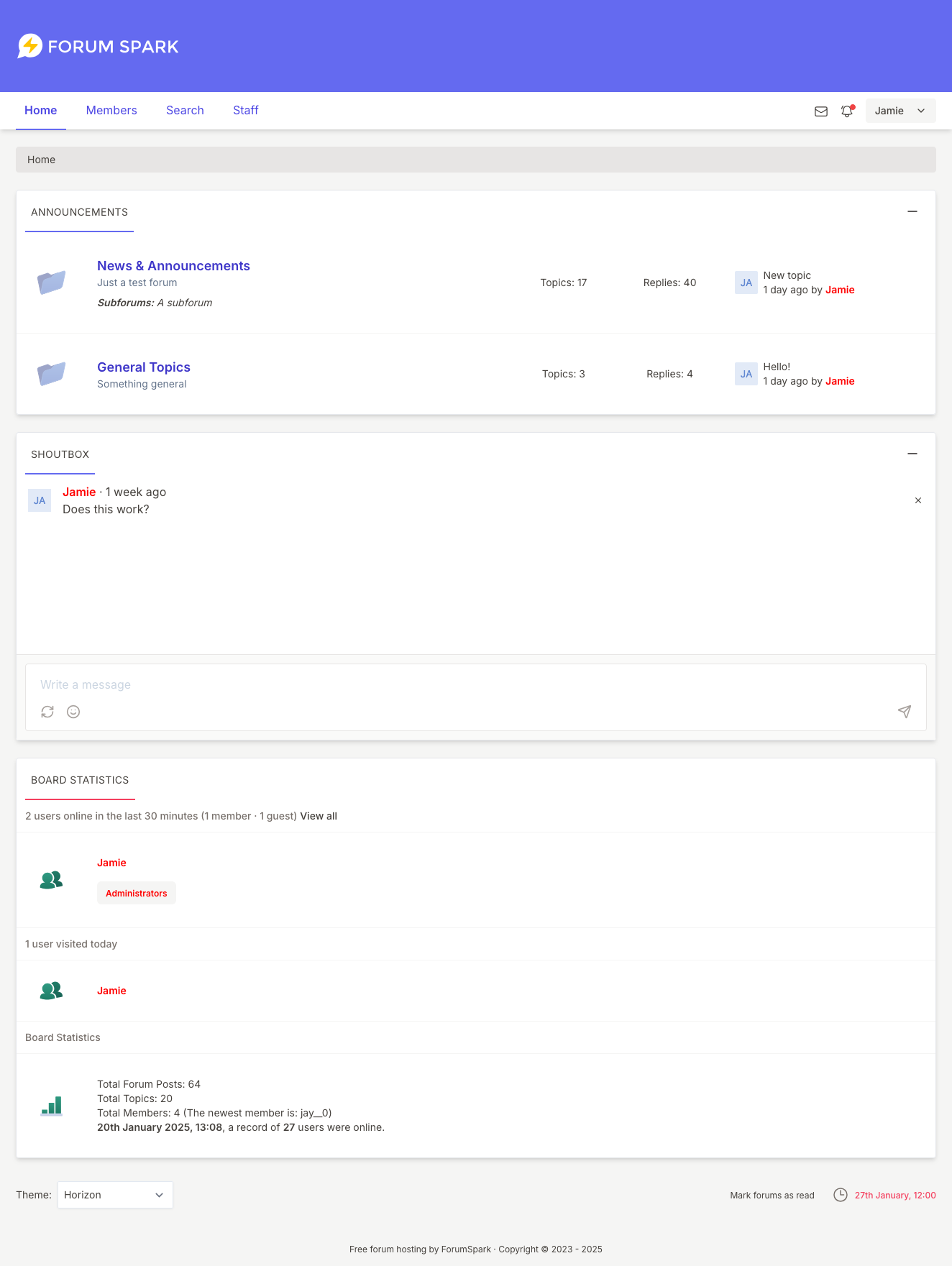
Horizon

Name: Horizon
Author: ForumSpark
Version: 1.0.0
Live Preview: https://jamie-test.forumspark.net/set-theme?theme=10.

Installation instructions:

  1. Create a new theme in your admin area
  2. Untoggle the option to inherit from the default editor
  3. Edit the stylesheet and copy the stylesheet over
  4. That's it :) There's no layout differences for this theme.

Download the theme.css from here: https://github.com/forumspark/horizon-theme/releases/tag/1.0.0

If you spot any issues with the theme, let me know here and I'll get it updated. I could do with cleaning up some of the source css and tailwind config, perhaps when I do that I will make the primary / secondary colours configurable.

3 replies 126 Read more →
Cory ·Themes & Extensions ·7 months ago
Background Image Selector

Preview

Change the capitalized text as necessary:

const bgImages = ['IMAGE_URL', 'IMAGE_URL', 'IMAGE_URL'];

Admin CP → Themes → Board Templates: Place it where you want the "Change Background Image" link to appear.

<a href="javascript: void(0)" id="bg_changer">Change Background Image</a>

Admin CP → Themes → Board Templates → Below the board

<div id="bg_popout" class="panel" style="display: none; border-width: 1px; position: fixed; width: 500px; height: 200px; top: calc(50% - 100px); left: calc(50% - 250px); padding: 10px">
<a href="javascript: void(0)" id="remove_bgi">Remove Background Image</a>
<span id="close_popout" style="font-size: 15px; font-weight: 700; cursor: pointer; float: right" title="Close">X</span>
<div id="bg_images" style="display: flex; justify-content: space-between; padding-top: 25px; max-width: 480px; overflow: auto; margin: 0 auto"></div>
</div>

<script>
const bgImages = ['IMAGE_URL', 'IMAGE_URL', 'IMAGE_URL'];

for (const i of bgImages) {
    const img = document.createElement('img');
    img.src = i;
    img.alt = 'BG Image';
    img.style.cursor = 'pointer';
    img.width = '150';
    img.height = '150';
    document.querySelector('#bg_images').appendChild(img);
}

document.querySelector('#bg_changer').addEventListener('click', function() {
    document.querySelector('#bg_popout').style.display = 'block';
});

document.querySelector('#close_popout').addEventListener('click', function() {
    document.querySelector('#bg_popout').style.display = 'none';
});

document.querySelector('#remove_bgi').addEventListener('click', function() {
    localStorage.removeItem('background-image');
    document.querySelector('#bg_popout').style.display = 'none';
    document.body.style.backgroundImage = 'none';
});

const imgs = document.querySelectorAll('#bg_images img');

imgs.forEach(element => {
    element.addEventListener('click', function() {
        localStorage.setItem('background-image', element.src);
        document.querySelector('#bg_popout').style.display = 'none';
        document.body.style.backgroundImage = 'url(' + element.src + ')';
        document.body.style.backgroundSize = 'cover';
        document.body.style.backgroundAttachment = 'fixed';
    });
});

if (localStorage.getItem('background-image').includes('http')) {
    document.body.style.backgroundImage = 'url(' + localStorage.getItem('background-image') + ')';
    document.body.style.backgroundSize = 'cover';
    document.body.style.backgroundAttachment = 'fixed';
} else {
    document.body.backgroundImage = 'none';
}
</script>
Jamie ·Themes & Extensions ·7 months ago
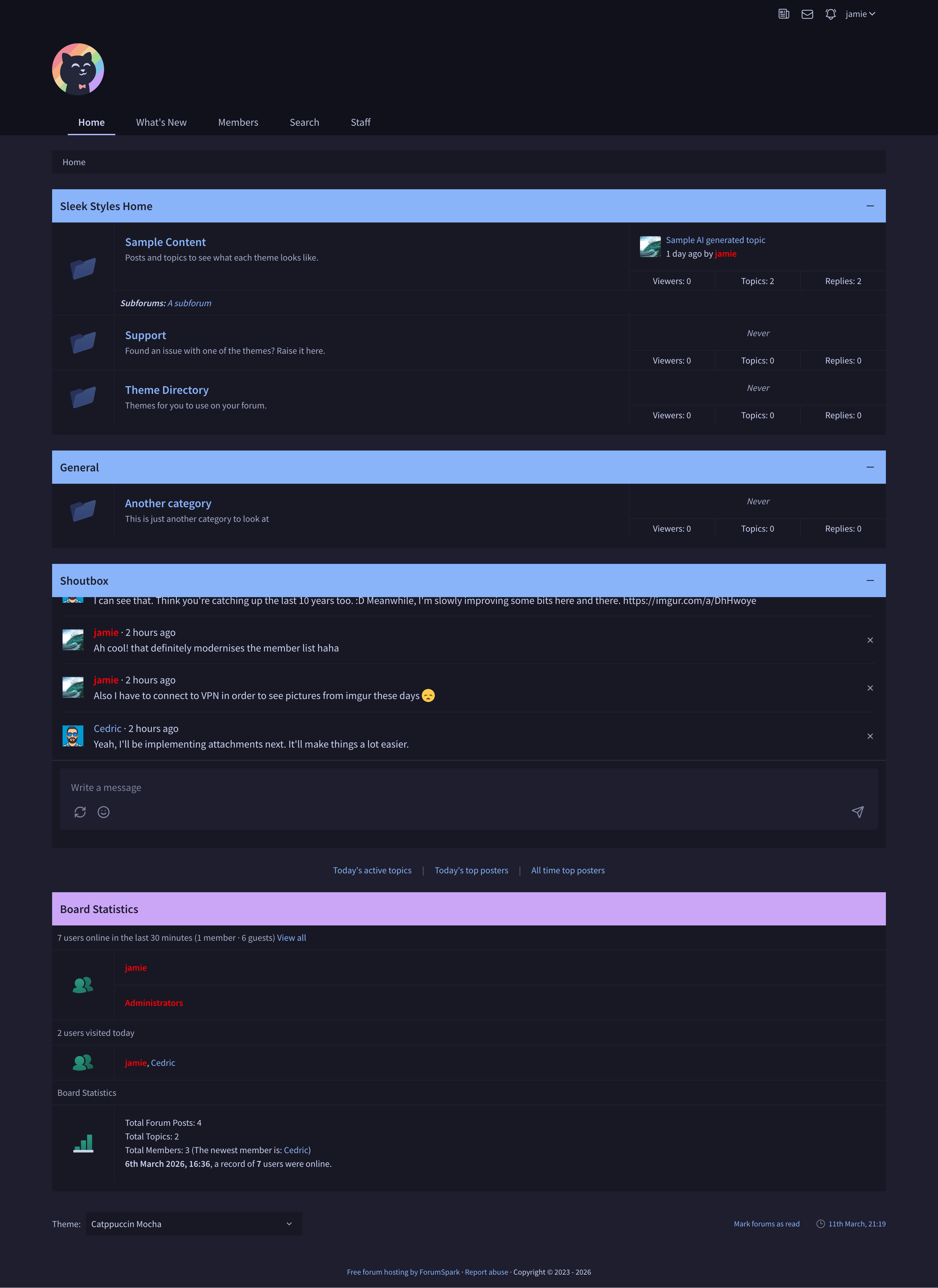
Catppuccin Mocha

Name: Catppuccin Mocha
Author: Jamie
Version: 1.0.0

One of the newer themes, heavily influenced by the https://catppuccin.com/ colour palette. Whether you can say its truly catppuccin I don't know, I didn't really look over their style guide ;P Essentially a recolour of the Nord one I released earlier, structure-wise its very similar anyway. As with the other theme, feel like Im chasing my tail a bit until I can get a proper checklist together, so if you find anything I've missed, ping me and I'll update.

Preview Theme

Download Theme JSON

Import the JSON as a new theme and update the settings so that it doesnt inherit from the default theme.

Cory ·Themes & Extensions ·7 months ago
Add Row to Board Statistics

Preview

The top three variables are all you need to modify.

Admin CP → Themes → Board Templates → Below the board

<script>
const newTitle = 'My Title';
const newImage = 'https://cory.forumspark.net/users.svg';
const newContent = `My Content`;
const html = `<div class="panel__sub-header">${newTitle}</div><div class="forum"><div class="forum__marker"><img src="${newImage}" alt=""></div><div class="stats">${newContent}</div></div>`;
const boardStats = document.querySelector('div.panel--board-stats');

if (boardStats) {
    const statsPanel = document.querySelector('div.panel--board-stats div.panel__content--flush');
    statsPanel.insertAdjacentHTML('beforeend', html);
}
</script>
3 replies 41 Read more →
Jamie ·Themes & Extensions ·7 months ago
Mulberry Grove

Name: Mulberry Grove
Author: Jamie
Version: 1.0.0

A theme I designed a while ago while building out the theme editor for ForumSpark. It's definitely one of the more "nostalgic" style themes on my list at the minute. I'm running in circles looking for things I've missed so I figured I'd share it and if you spot anything then let me know!

Preview Theme

Download Theme JSON

Import the JSON as a new theme and update the settings so that it doesnt inherit from the default theme.

There are a couple of icons to go with it:


Thats as far as I got with them though.

Cory ·Themes & Extensions ·7 months ago
Newest Member Avatar in Board Stats

Preview

Admin CP → Themes → Board Templates → Below the board

<script>
const usernameLink = document.querySelector('div.stats a.username');

if (usernameLink && sessionStorage.getItem('statsName') !== usernameLink.innerText) {
    fetch(usernameLink.getAttribute('href'))
        .then(response => {
            return response.text();
        })
        .then(html => {
            sessionStorage.setItem('statsName', usernameLink.innerText);
            const parser = new DOMParser();
            const doc = parser.parseFromString(html, 'text/html');
            const imageURL = doc.querySelector('div.profile-identity__avatar img').getAttribute('src');
            sessionStorage.setItem('statsAvatar', imageURL);
            const avatar = document.createElement('img');
            avatar.src = imageURL;
            avatar.width = '25';
            avatar.height = '25';
            avatar.style.display = 'inline-block';
            avatar.alt = 'User Avatar';
            usernameLink.prepend(avatar);
        });
} else {
    const avatar = document.createElement('img');
    avatar.src = sessionStorage.getItem('statsAvatar');
    avatar.width = '25';
    avatar.height = '25';
    avatar.style.display = 'inline-block';
    avatar.alt = 'User Avatar';
    usernameLink.prepend(avatar);
}
</script>
Cory ·Themes & Extensions ·7 months ago
Change Individual Forum Markers

Preview

Change the capitalized text as necessary.

Admin CP → Themes → Board Templates → Below the board

<script>
const forumID = [FORUM_ID, FORUM_ID];
const newForumMarker = ['IMAGE_URL', 'IMAGE_URL'];
const forum = document.querySelector('div[id^="forum-"]');

if (forum) {
    for (let i = 0; i < forumID.length; i++) {
        document.querySelector('#forum-' + forumID[i] + ' img[class^="forum__marker"]').setAttribute('src', newForumMarker[i]);
    }
}
</script>
Cory ·Themes & Extensions ·7 months ago
BBCode in Topic Titles

Preview

Admin CP → Themes → Board Templates → Below the board

<script>
const links = document.querySelectorAll('a');

links.forEach(link => {
    if (link.innerText.includes('[/')) {
        link.innerHTML = link.innerHTML.replace(/\[b\](.*)\[\/b\]/g, '<strong>$1</strong>').replace(/\[i\](.*)\[\/i\]/g, '<em>$1</em>').replace(/\[u\](.*)\[\/u\]/g, '<span style="text-decoration: underline">$1</span>').replace(/\[s\](.*)\[\/s\]/g, '<span style="text-decoration: line-through">$1</span>').replace(/\[color=(.*)\](.*)\[\/color\]/g, '<span style="color: $1">$2</span>');
    }
});

if (document.querySelector('div.breadcrumbs span') && document.querySelector('div.breadcrumbs span').innerText.includes('[/')) {
    document.querySelector('div.breadcrumbs span').innerHTML = document.querySelector('div.breadcrumbs span').innerHTML.replace(/\[b\](.*)\[\/b\]/g, '<strong>$1</strong>').replace(/\[i\](.*)\[\/i\]/g, '<em>$1</em>').replace(/\[u\](.*)\[\/u\]/g, '<span style="text-decoration: underline">$1</span>').replace(/\[s\](.*)\[\/s\]/g, '<span style="text-decoration: line-through">$1</span>').replace(/\[color=(.*)\](.*)\[\/color\]/g, '<span style="color: $1">$2</span>');
}

if (document.querySelector('div.panel__title h2') && document.querySelector('div.panel__title h2').innerText.includes('[/')) {
    document.querySelector('div.panel__title h2').innerHTML = document.querySelector('div.panel__title h2').innerHTML.replace(/\[b\](.*)\[\/b\]/g, '<strong>$1</strong>').replace(/\[i\](.*)\[\/i\]/g, '<em>$1</em>').replace(/\[u\](.*)\[\/u\]/g, '<span style="text-decoration: underline">$1</span>').replace(/\[s\](.*)\[\/s\]/g, '<span style="text-decoration: line-through">$1</span>').replace(/\[color=(.*)\](.*)\[\/color\]/g, '<span style="color: $1">$2</span>');
}

if (document.querySelector('title').innerText.includes('[/')) {
    document.querySelector('title').innerText = document.querySelector('title').innerText.replace(/\[.+?\]/g, '');
}
</script>
1 reply 32 Read more →
Cedric ·Themes & Extensions ·1 year ago
Go to Top Button

This goes into your Below the Board template. You can adjust the style of the button using CSS between the <style> tags.

Preview: https://prnt.sc/J5TmePMR9D3z

<style>
        #goTopBtn {
            position: fixed;
            bottom: 20px;
            right: 20px;
            display: none;
            background: #1a152c;
            color: white;
            border: none;
            border-radius: 5px;
            padding: 10px;
            font-size: 18px;
            cursor: pointer;
        }
    </style>

<button id="goTopBtn" onclick="window.scrollTo({ top: 0, behavior: 'smooth' });">Top</button>

<script>
    const goTopBtn = document.getElementById('goTopBtn');
    window.addEventListener('scroll', () => {
        goTopBtn.style.display = window.scrollY > 200 ? 'block' : 'none';
    });
</script>
3 replies 56 Read more →
Jamie ·Themes & Extensions ·1 year ago
Export ForumSpark Data to CSV

To support data ownership and make it easier to replatform (and just to demo the API some more :D) I’ve created a utility that exports data from the ForumSpark API to CSV format using AI assistance. You can then import the data into a SQL database or use the CSV files directly with another platform.

The tool is available here: https://github.com/forumspark/data-exporter

It's a terminal-based Node.js script, so some familiarity with the command line is required.

To get started:

  • Clone the repo: git clone ...
  • Run one of the available npm scripts (see package.json)
  • Provide your board URL and API token (generate one from the Admin Control Panel)

Full setup instructions are in the repository README.

Jamie ·Themes & Extensions ·1 year ago
Panels & Collapsible Panels

Wasn't sure whether or not to post this in Theme Dev help or Extensions Directory. Figured it's more appropriate for here.

With this code you can create something similar to this:

You can add this code in your Board Templates or in the Theme Layout wherever you want the panel to appear. You can add this as many times as you like, just make sure you change the name in the collapsible version.

<div class="panel">
    <div class="panel__title">
        <h2>Custom Panel</h2>
    </div>
    <div class="panel__content">
         Add whatever you like 🤷‍♀️
    </div>
    <div class="panel__footer"></div>
</div>

And if you want to make it collapsible you can jazz it up with this:

<div x-data="{collapsed: $persist(false).as('CUSTOM_PANEL_NAME')}" class="panel" :class="collapsed ? 'panel--collapsed' : ''">
    <div class="panel__title">
        <h2>Collapsable Panel</h2>
        <div class="panel__title__actions">
            <button type="button" class="btn btn-primary panel__expander" type="button" @click="collapsed = !collapsed">
                <template hidden x-if="collapsed">
                    <svg xmlns="http://www.w3.org/2000/svg" fill="none" viewBox="0 0 24 24" stroke-width="1.5"
                         stroke="currentColor" class="icon">
                        <path stroke-linecap="round" stroke-linejoin="round" d="M12 6v12m6-6H6"/>
                    </svg>
                </template>
                <template hidden x-if="! collapsed">
                    <svg xmlns="http://www.w3.org/2000/svg" fill="none" viewBox="0 0 24 24" stroke-width="1.5"
                         stroke="currentColor" class="icon">
                        <path stroke-linecap="round" stroke-linejoin="round" d="M18 12H6"/>
                    </svg>
                </template>
            </button>
        </div>
    </div>
    <div x-show="! collapsed" class="panel__content">
        Add whatever you like 🤷‍♀️
    </div>
    <div x-show="! collapsed" class="panel__footer"></div>
</div>

Make sure to replace CUSTOM_PANEL_NAME with a name of your choosing so that the state of whether the panel is open/closed can be saved correctly and not collide with another panel.

3 replies 41 Read more →
Cedric ·Themes & Extensions ·1 year ago
Extended Footer

Preview: https://prnt.sc/UqrDUGzopQXM

This code adds a footer to your forum. You can edit the styling as you please. If you need help, don't hesitate to create a topic in the support forum.

Themes > Edit Layout > Copy & paste code at the bottom.

   <footer style="background-color: #f8f9fa; padding: 20px 0; border-top: 1px solid #ddd;">
  <div style="max-width: 1200px; margin: 0 auto; display: flex; justify-content: space-between; flex-wrap: wrap;">

<!-- About Us Section -->
<div style="flex: 1 1 300px; padding: 10px;">
  <h3 style="font-size: 1.25rem; margin-bottom: 10px;">About Us</h3>
  <p style="font-size: 0.9rem; line-height: 1.5; color: #555;">
    Change this text to your community's vision, mission or information.
  </p>
</div>

<!-- Links Section 1 -->
<div style="flex: 1 1 150px; padding: 10px;">
  <h3 style="font-size: 1.25rem; margin-bottom: 10px;">Quick Links</h3>
  <ul style="list-style: none; padding: 0; font-size: 0.9rem; color: #555;">
    <li><a href="#" style="text-decoration: none; color: #007bff;">Home</a></li>
    <li><a href="#" style="text-decoration: none; color: #007bff;">Forums</a></li>
    <li><a href="#" style="text-decoration: none; color: #007bff;">Contact</a></li>
  </ul>
</div>

<!-- Links Section 2 -->
<div style="flex: 1 1 150px; padding: 10px;">
  <h3 style="font-size: 1.25rem; margin-bottom: 10px;">Resources</h3>
  <ul style="list-style: none; padding: 0; font-size: 0.9rem; color: #555;">
    <li><a href="#" style="text-decoration: none; color: #007bff;">Help Center</a></li>
    <li><a href="#" style="text-decoration: none; color: #007bff;">Terms of Service</a></li>
    <li><a href="#" style="text-decoration: none; color: #007bff;">Privacy Policy</a></li>
  </ul>
</div>

<!-- Logo Section -->
<div style="flex: 1 1 200px; text-align: center; padding: 10px;">
  <h3 style="font-size: 1.25rem; margin-bottom: 10px;">ForumSpark</h3>
  <div style="width: 100px; height: 100px; margin: 0 auto; background-color: #ddd; display: flex; align-items: center; justify-content: center; border-radius: 50%;">
    <span style="font-size: 0.9rem; color: #555;">Logo</span>
  </div>
</div>

  </div>
</footer>
1 reply 38 Read more →
Jamie ·Themes & Extensions ·1 year ago
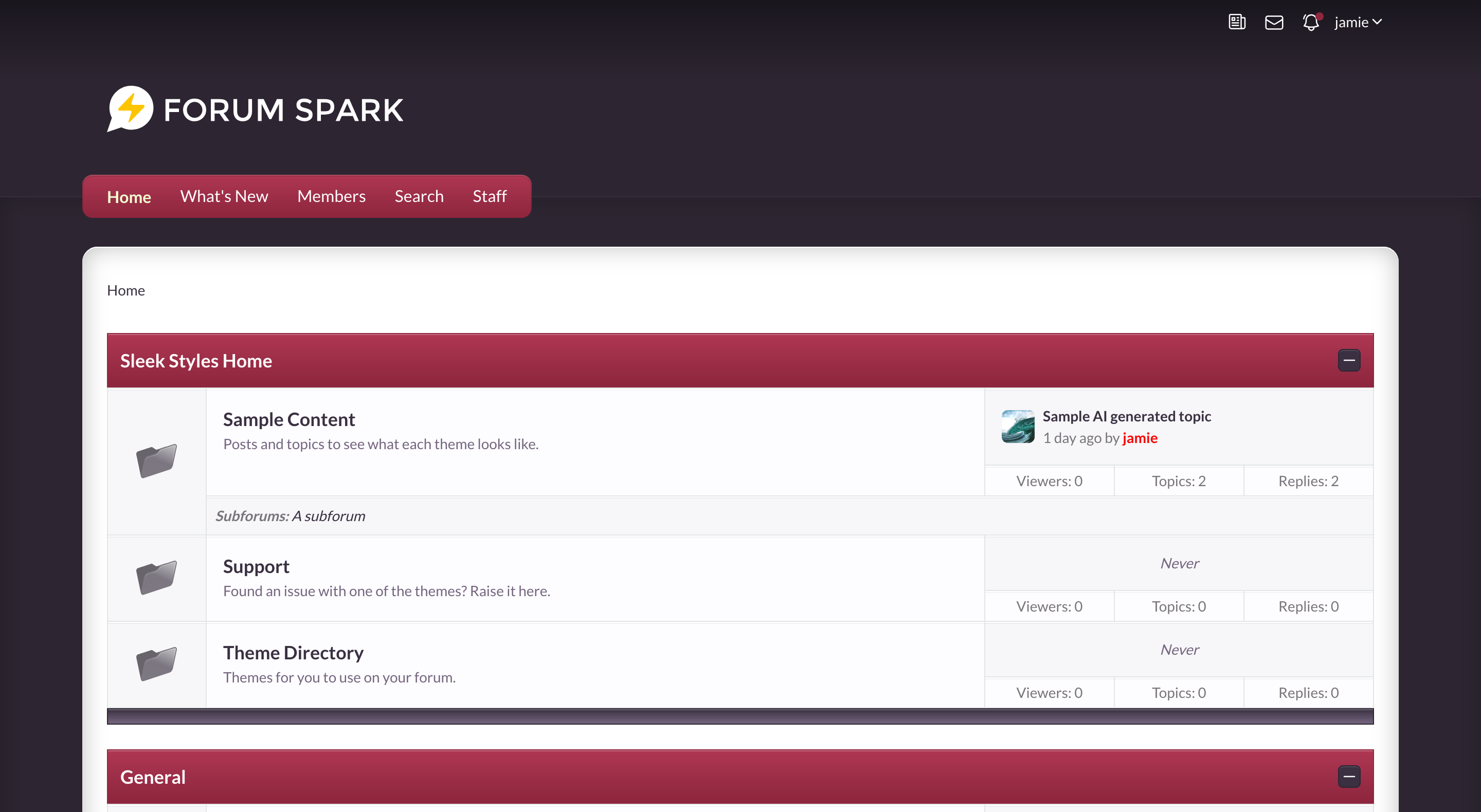
FS Original

Name: FS Original
Author: ForumSpark
Version: 1.0.1

GitHub release: https://github.com/forumspark/nostalgia-theme/releases/tag/1.0.1

To install:

  1. Create a new theme in your admin area
  2. Untoggle the option to inherit from the default editor
  3. Edit the stylesheet and copy the stylesheet over
  4. That's it :) There's no layout differences for this theme

Direct Stylesheet download: https://github.com/forumspark/nostalgia-theme/releases/download/1.0.1/theme.css

You can download the original folder icons from: https://github.com/forumspark/nostalgia-theme/tree/master/assets

ForumSpark © 2023 - 2026 · ForumSpark.net · Terms