ForumSpark Support

support.forumspark.net

Official support and community forum for ForumSpark. Access announcements, troubleshooting, customization help, extension development, theme resources, and platform updates.

198 members 650 topics 3K replies
Cedric ·Themes & Extensions ·2 months ago
Elegance

Elegance

Elegance is now available in the marketplace.

I had a lot of fun designing this one. Presenting: Elegance, mountain scenery, four atmospheres, and a look every visitor picks for themselves.The signature feature is the atmosphere switcher. A palette button opens a small drawer where each visitor picks their own scheme: Aurora, soft lavender daylight. Deep space, indigo night under a rising moon. Ember, warm darkness with glowing accents. Glaci...

View the product, screenshots and reviews

Use this topic for questions and discussion.

1 reply 15 Read more →
Cedric ·Themes & Extensions ·2 months ago
Aphelion

Aphelion

Aphelion is now available in the marketplace.

A tribute to the glossy dark forum skins of the late 2000s, inspired by the ZetaBoards classic Alphacide. A chrome-white header band carries your logo, menu and user tools, wrapped around deep space plates with angular cut corners, alternating blue and red glass category buttons, glowing unread markers and an ice-blue shine on every link.

View the product, screenshots and reviews

Use this topic for questions and discussion.

2 replies 20 Read more →
Cedric ·Themes & Extensions ·2 months ago
Robo Redux

Robo Redux

Robo Redux is now available in the marketplace.

Robo Redux. A machined dark theme. Brushed charcoal plates with hairline edge lighting, near-monochrome at rest, and an acid lime charge that ignites everything you touch: glowing tabs, power-cell unread markers, and buttons that light up under your cursor.

View the product, screenshots and reviews

Use this topic for questions and discussion.

Cedric ·Themes & Extensions ·2 months ago
Monokai

Monokai

Monokai is now available in the marketplace.

A legendary editor palette, rebuilt as a full forum theme. The whole board lives inside a floating editor window with the rainbow syntax stripe running across the top, pink to violet, in both modes.Dark mode is the classic: deep carbon surfaces, violet links, and near-black panel caps with syntax colored titles. Categories read in Monokai green, widgets in string yellow, exactly like code. Light m...

View the product, screenshots and reviews

Use this topic for questions and discussion.

Cedric ·Themes & Extensions ·2 months ago
Nord

Nord

Nord is now available in the marketplace.

The classic arctic palette. Light mode carries the snowy Nord Light look, dark mode the deep polar night.Flat panels with solid blue caps, teal widget headers, and a clean underline navigation. Under the header runs a thin aurora line, the full Nord spectrum from red to frost in one quiet gradient. Unread markers glow frost blue, and a subtle frost tint lights up rows on hover.Compared to the orig...

View the product, screenshots and reviews

Use this topic for questions and discussion.

Cedric ·Themes & Extensions ·2 months ago
Seaglass & Clay

Seaglass & Clay

Seaglass & Clay is now available in the marketplace.

Seaglass & Clay, and it's exactly what it sounds like. Soft seaglass blues and greens with warm clay accents on the buttons and highlights.The header is a floating bar that sits on the page like a card. Scroll down and it smoothly stretches into a full width sticky bar.Unread forums get a warm clay marker, so you spot new stuff right away.Full dark mode included, it feels like the same theme a...

View the product, screenshots and reviews

Use this topic for questions and discussion.

1 reply 12 Read more →
Cedric ·Themes & Extensions ·2 months ago
Porcelain Bloom

Porcelain Bloom

Porcelain Bloom is now available in the marketplace.

A soft, airy theme for communities that like things a bit calmer. Warm porcelain tones, mauve and lavender accents, and a deep navy for buttons and unread markers so nothing gets lost.The whole forum sits on a rounded porcelain card with a floating navigation dock, a decorative intro band up top, and a subtle gradient ribbon running across the frame. Widget headers come in mauve, usermenu icons si...

View the product, screenshots and reviews

Use this topic for questions and discussion.

1 reply 6 Read more →
Cedric ·Themes & Extensions ·2 months ago
Thread Meta

Thread Meta

Thread Meta is now available in the marketplace.

Two additions the stock topic row does not show: an Active line under the stats telling you how fresh the discussion is at a glance, and the topic's exact start date under the byline for boards where the archive matters.Independent snippets you can toggle and reorder from the Custom Templates page. Works alongside Topic Status Chips if you want the full treatment.

View the product, screenshots and reviews

Use this topic for questions and discussion.

Cedric ·Themes & Extensions ·2 months ago
Profile Showcase

Profile Showcase

Profile Showcase is now available in the marketplace.

Two additions to the identity card at the top of member profiles: a standing line that shows the member's trust level and whether they are online right now, and a footer with how long they have been around plus their location when they shared one.Both are outlet snippets, so the profile card design itself stays untouched and themeable. Toggle either one off from the Custom Templates page or duplic...

View the product, screenshots and reviews

Use this topic for questions and discussion.

Cedric ·Themes & Extensions ·2 months ago
Post Rail Flair

Post Rail Flair

Post Rail Flair is now available in the marketplace.

Two small identity lines for the post rail: the member's trust level under their group name, and their credit balance below the joined date when the Credits extension is active. They give every post a little more context about who is talking.Each line is a separate snippet: keep the ones you like, toggle the rest off, or duplicate one to build your own flair. Lines tied to features you have disabl...

View the product, screenshots and reviews

Use this topic for questions and discussion.

Cedric ·Themes & Extensions ·2 months ago
Gamer Tags

Gamer Tags

Gamer Tags is now available in the marketplace.

Provisions four profile fields (Steam, Discord, PSN and Xbox) and lists whichever ones a member filled in as a compact table under their avatar in the post rail. Perfect for gaming boards where "what is your tag" is the first question in every thread.Fields members leave empty simply do not render. Uninstalling keeps the tags people entered unless you purge them, and the snippet can be duplicated...

View the product, screenshots and reviews

Use this topic for questions and discussion.

Cedric ·Themes & Extensions ·2 months ago
Character Sheets

Character Sheets

Character Sheets is now available in the marketplace.

Adds a compact character sheet to the post rail, the member column beside every post. Members fill in three new profile fields (Character name, Class and Alignment) and their answers appear as a tidy label-and-value table under their avatar in every topic they post in.Installing provisions the fields automatically and the sheet only renders for members who filled something in. Uninstalling keeps m...

View the product, screenshots and reviews

Use this topic for questions and discussion.
Cedric ·Themes & Extensions ·3 months ago
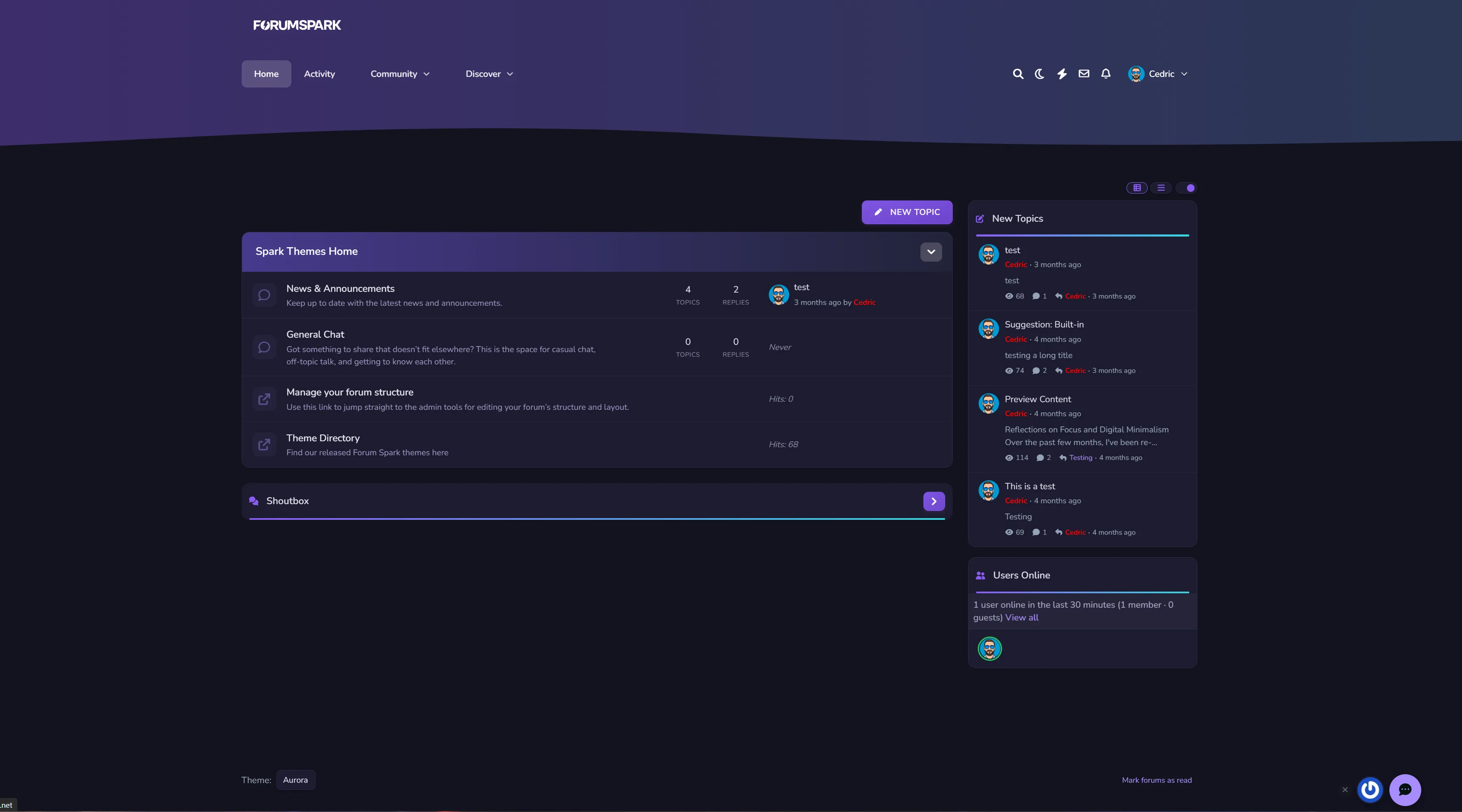
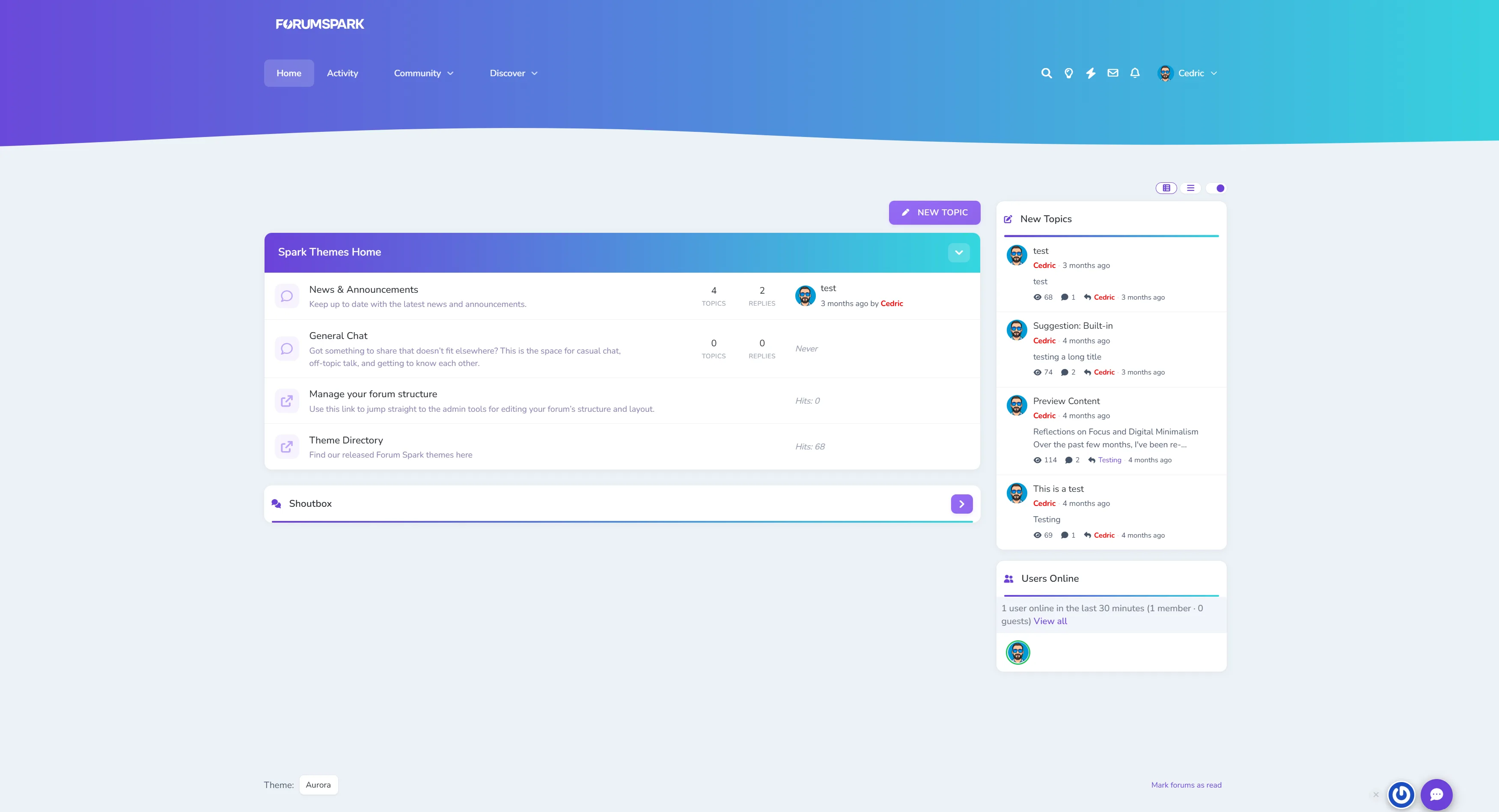
Aurora theme

Aurora blends soft gradients, clean panels, and adaptive dark/light modes for a theme that feels as smooth as it looks. It’s professional without being cold, stylish without losing usability.

Perfect for communities that want a premium, future-ready design that still feels effortless.

✔️ Adaptive Dark & Light Modes
Aurora automatically adapts to the user’s theme choice or OS setting, delivering consistent, balanced visuals in any environment.

✔️ Gradient Category & Widget Headers
Forum categories and widgets feature Aurora’s signature gradient trim - crisp, modern, and seamlessly blending with the rest of the UI.

✔️ Smooth UI
Panels, widgets, and dropdowns keep it clean, assuring focus on your content while adding depth.

✔️ Pixel-Perfect for Any Niche
From tech forums to creative communities, Aurora delivers a clean canvas that’s ready for your brand and content.

Demo

Install through your Extension directory in the ACP.

3 replies 16 Read more →
Cedric ·Themes & Extensions ·2 months ago
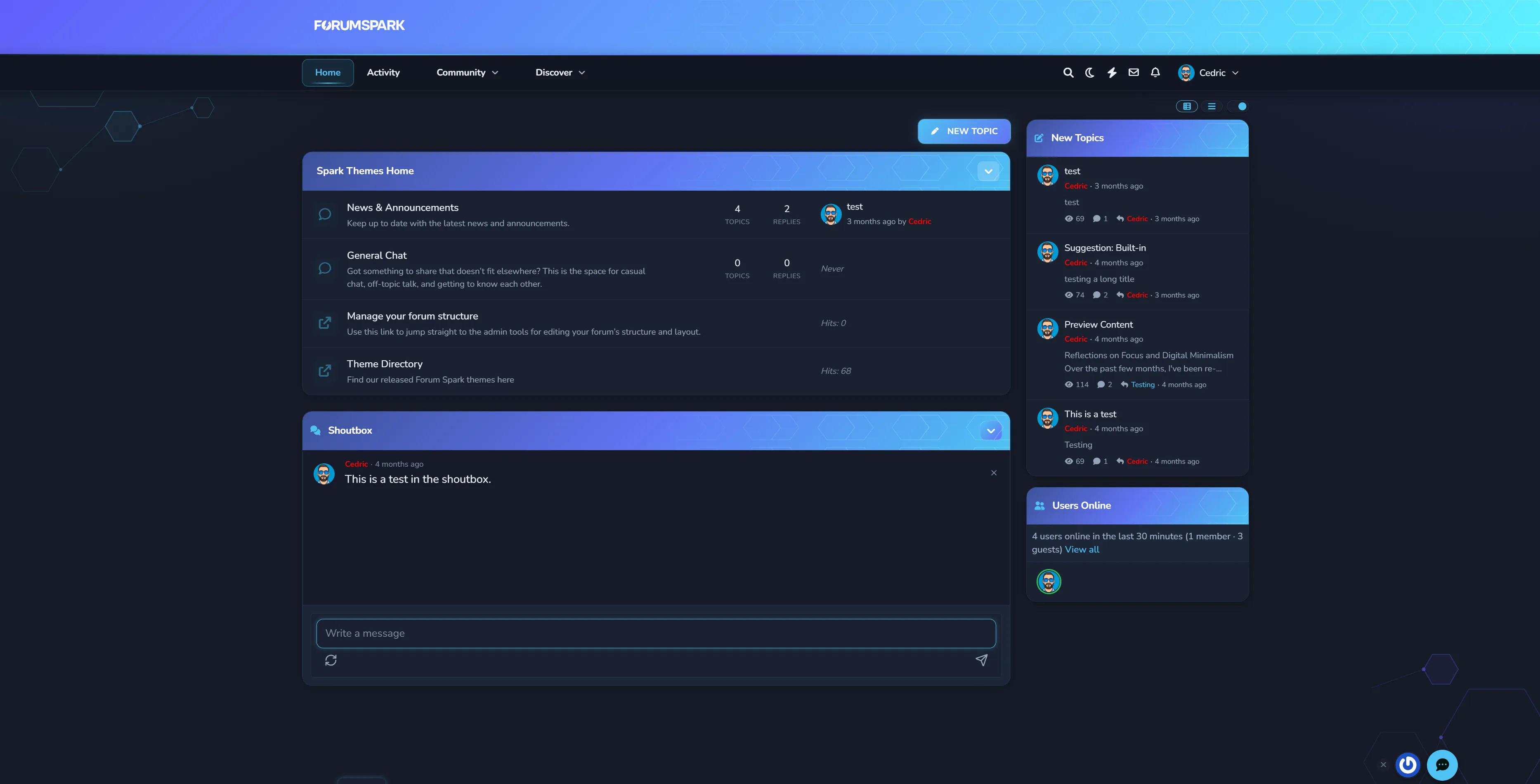
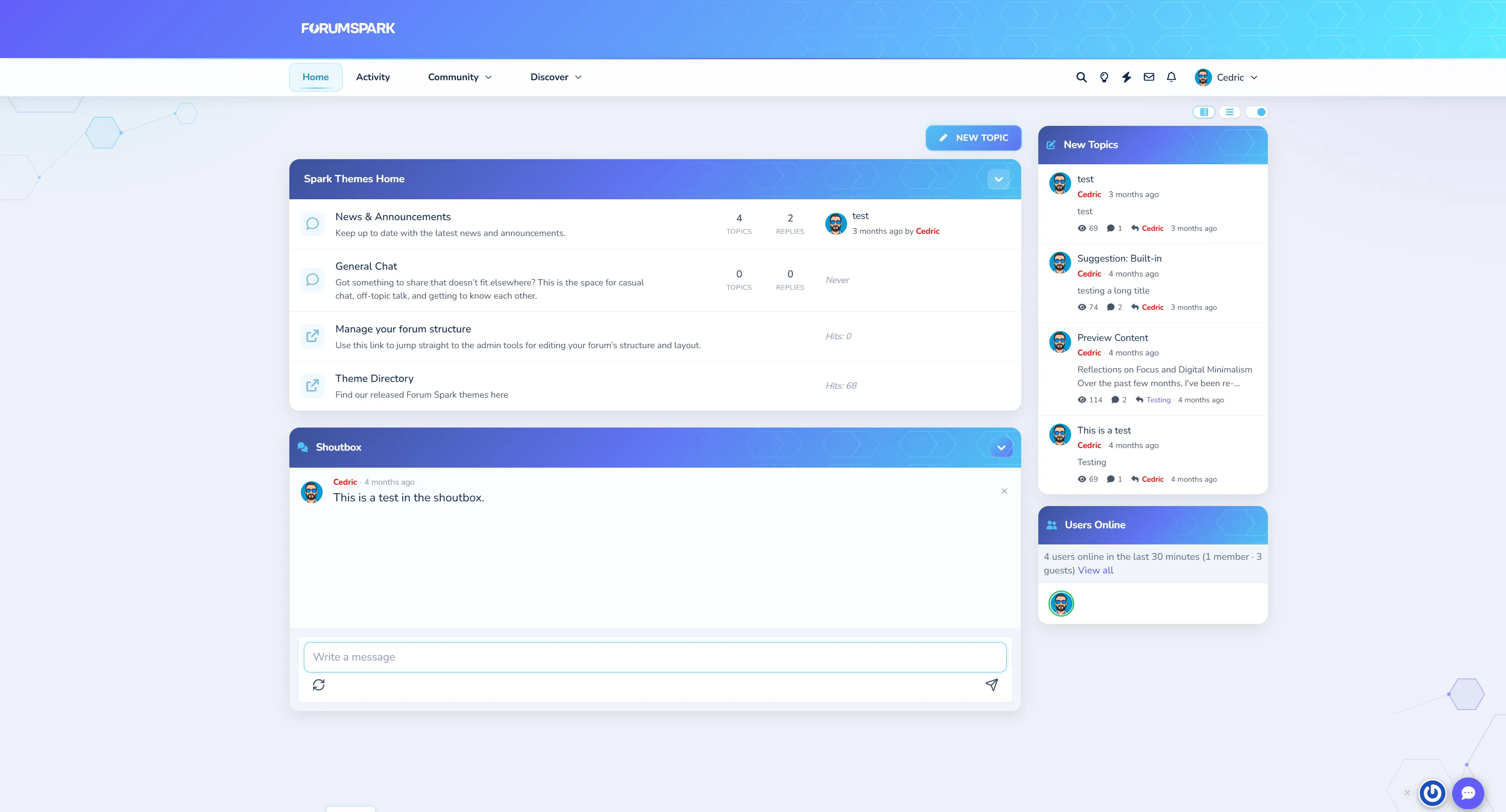
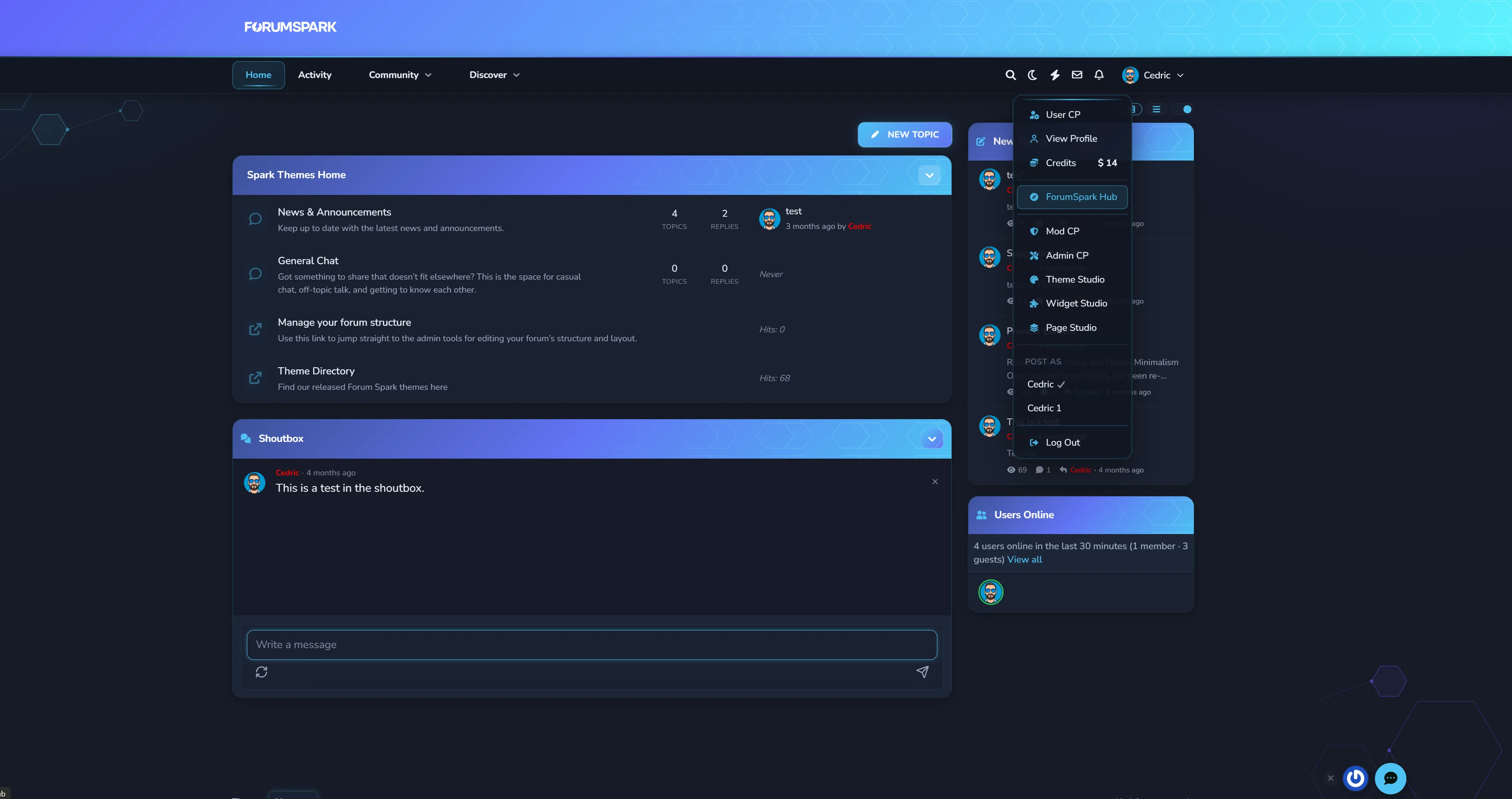
Hexagon Theme

Soft glass surfaces, neon cyan accents, and a subtle hex-mesh motif. Hexagon ships with both dark and light modes, a refined mobile experience, and dozens of tasteful micro-interactions that make communities feel premium without feeling flashy.

Demo

Install through ACP => Extension Directory

Cedric ·Themes & Extensions ·3 months ago
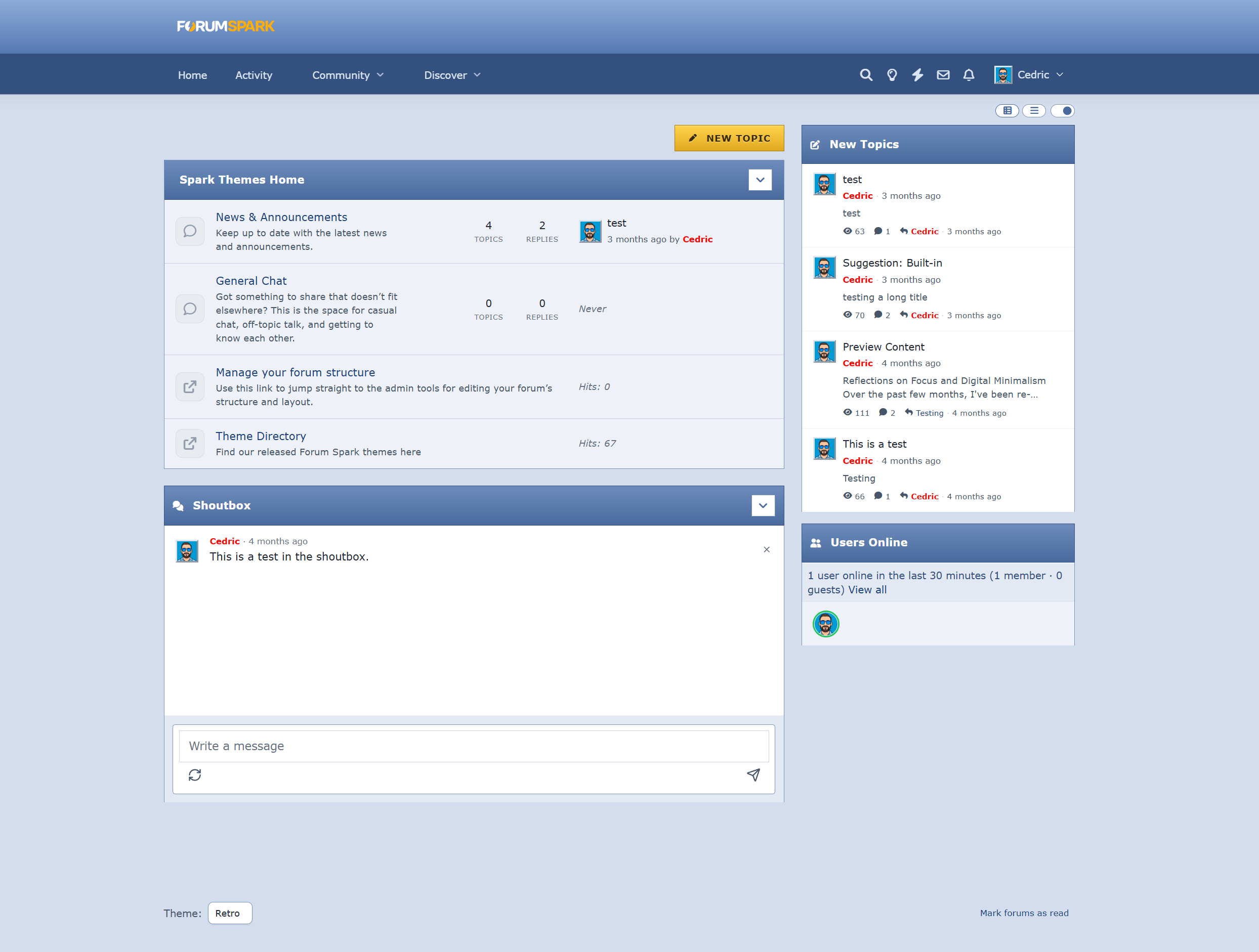
Retro theme

Screenshot

A simple early 2000s bulletin board inspired theme. Gradient headers, striped topic rows, beveled avatars, underlined links, etc. Fully responsive underneath, with a matching after-midnight dark mode.

Demo: https://themes.forumspark.net/ (Select Retro)

File attached (and available to download in your Extensions ACP area)

1 reply 22 Read more →
Cedric ·Themes & Extensions ·6 months ago
Credits & Shop

Add a complete virtual currency economy to your forum.

Features

  • Earning Triggers: Award credits for posting, creating topics, receiving reactions, daily logins, and more

  • Item Shop: Sell cosmetic items like username styles, titles, and group access

  • Gifting: Let members send credits to each other with optional tax

  • Leaderboard: Show top earners across your community

  • Group Multipliers: Reward VIP groups with bonus earning rates

  • Admin Controls: Full settings panel, shop manager, and transaction log

  • Widgets: Including 5 widgets

This is now available in your ACP Extensions Directory => Browse Extensions => Install Credits & Shop

This marks our first initial credits & shop release. More is coming soon! 🙂

For feedback, requests, or bugs, please use this topic to inform me.

23 replies 153 Read more →
Cedric ·Themes & Extensions ·5 months ago
Link Directory

A community-curated directory of external links, organised into categories.

Features

  • Categories: Organise links into themed sections

  • Member Submissions: Let members submit links for moderation

  • Moderation Queue: Approve, reject, or feature links

  • Click Tracking: See which links your community uses most

  • Featured Slots: Highlight links that matter

  • Widgets: Surface random, featured, or trending links anywhere on your board

This is now available in your ACP Extensions Directory => Browse Extensions => Install Link Directory

For feedback, requests, or bugs, please use this topic to inform me.

4 replies 54 Read more →
M Mace ·Themes & Extensions ·1 year ago
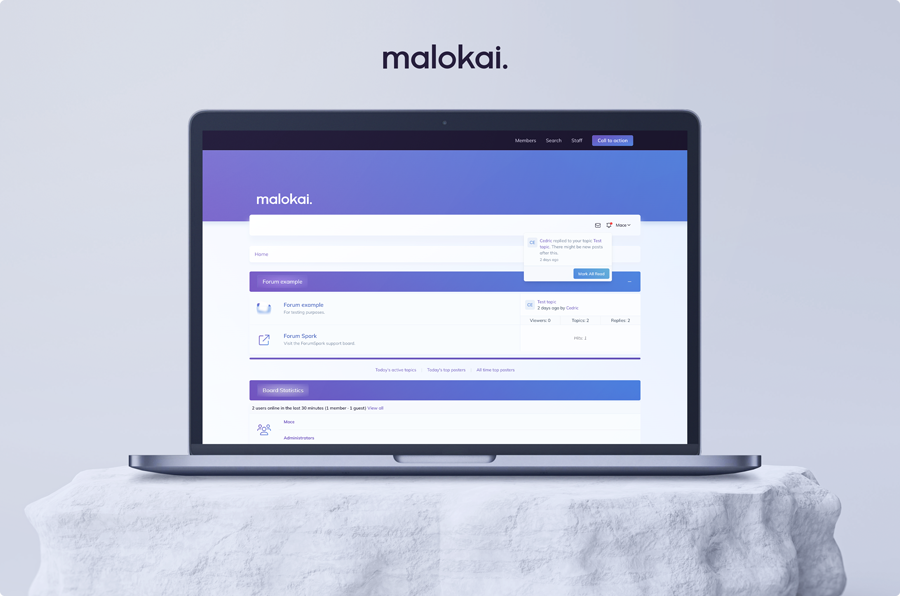
Malokai

[background=#facc15]Last update: 21/01/2025[/background]

Grab this theme for free (simply enter '0' or 'free')

Introducing Malokai, one of the first ForumSpark themes! ⚡️

Malokai is completely free to use. If you have any comments or questions regarding this theme, or if you find something of which you feel like it needs to be changed/updated, feel free to reply to this topic and I'll look into it. 😊

LIVE DEMO

Username: Test

Password: Test123!

Log:

  • Update: merged two html files, of which one would cause other themes to contain assets of this theme (21/01/2025)
  • Update: shoutbox styling (20/01/2025)
  • Initial release (20/01/2025)

The most recent .zip file always contains the updates posted in the log above.

9 replies 222 Read more →
Jamie ·Themes & Extensions ·7 months ago
Nord

Name: Nord

Author: Jamie

Version: 1.0.0

A quick theme based on the Nord colour palette.

See it here: Preview Theme

To install, use the Import Theme feature from your theme manager in the Admin CP and import the JSON below.

Download

If you spot any issues let me know.

5 replies 118 Read more →
Jamie ·Themes & Extensions ·1 year ago
Flux

Name: Flux
Author: ForumSpark
Version: 1.0.0

Live Preview (No Sidebar) / Live Preview (Sidebar)

Get the theme files from: https://github.com/forumspark/flux-theme/releases/tag/1.0.0

Installation instructions:

  1. Create a new theme in your admin area
  2. Untoggle the option to inherit from the default editor
  3. Edit the stylesheet and copy the stylesheet over (theme.css)
  4. Copy the guest.html into the Guest Layout section of the theme -> Admin CP / Themes / Edit Layout
  5. Depending on the version you want to use copy either layout.html or layout_sidebar.html over to the Layout for the theme

Theme images can be found here: https://github.com/forumspark/flux-theme/tree/master/assets

To change the header image you will need to edit the theme layout and replace the SVGs

<svg class="h-8 text-zinc-950 block dark:hidden" fill="none" xmlns="http://www.w3.org/2000/svg" viewBox="0 0 194 91">...</svg>
<svg class="h-8 text-white hidden dark:block" fill="none" xmlns="http://www.w3.org/2000/svg" viewBox="0 0 194 91">....</svg>

I suggest you upload your light / dark header images to your file manager then replace the above with

<img src="LIGHT_LOGO_URL" class="h-8 block dark:hidden" />
<img src="DARK_LOGO_URL" class="h-8 dark:block hidden" />

As usual if you spot any bugs / issues with the theme, let me know here and I'll get it updated.

3 replies 184 Read more →
Cedric ·Themes & Extensions ·6 months ago
Theme Directory Guidelines

First of all, thank you for taking the time to design and share themes for ForumSpark. A fresh, well-crafted theme can completely transform the look and feel of a board, and your contributions help make that possible for the entire community.

While we welcome all creative styles, we do ask that submissions meet a certain standard to ensure consistency and usability across the platform.

Before sharing your theme, please keep the following in mind:

  • Fully functional & tested - No broken layouts or major UI issues

  • No “default” leftovers - Avoid obvious missing styling or unfinished areas

  • Clean and user-friendly design - Prioritize readability and usability

  • Avoid bad practices - Excessive hardcoding and !important usage should be kept to a minimum

  • Provide previews - Include clear screenshots or, ideally, a live demo board

  • Include key details - Compatibility, features, and any special requirements

High-quality themes benefit everyone and help build a stronger, more polished ecosystem.

Thank you,

-ForumSpark Team

Cedric ·Themes & Extensions ·6 months ago
Extensions Directory Guidelines

First of all, thank you for considering building and contributing to ForumSpark. It’s always great to see new ideas and functionality being shared with the community.

While we strongly encourage contributions of all kinds, maintaining a certain level of quality is important for everyone using ForumSpark. Well-built extensions not only improve individual boards, but also help strengthen the ecosystem as a whole.

Before publishing your extension, please take a moment to carefully review our documentation: https://docs.forumspark.net/api/

To keep things smooth and useful for everyone, here are a few simple rules:

  • Follow the API/JS standards - Extensions should align with our documented structure and practices.

  • Keep it stable - Avoid releasing unfinished or highly experimental builds.

  • No duplicate functionality - Check existing extensions before posting something similar.

  • Provide clear details and previews - Include a proper description, features, and usage instructions including a preview through a test board.

  • Respect performance - Extensions should not negatively impact board speed or stability.

  • Keep it maintained - If you publish it, be prepared to support and update it.

This will help ensure your work follows best practices, remains compatible, and delivers a smooth experience for board owners.

Thank you,

-ForumSpark Team

Jamie ·Themes & Extensions ·7 months ago
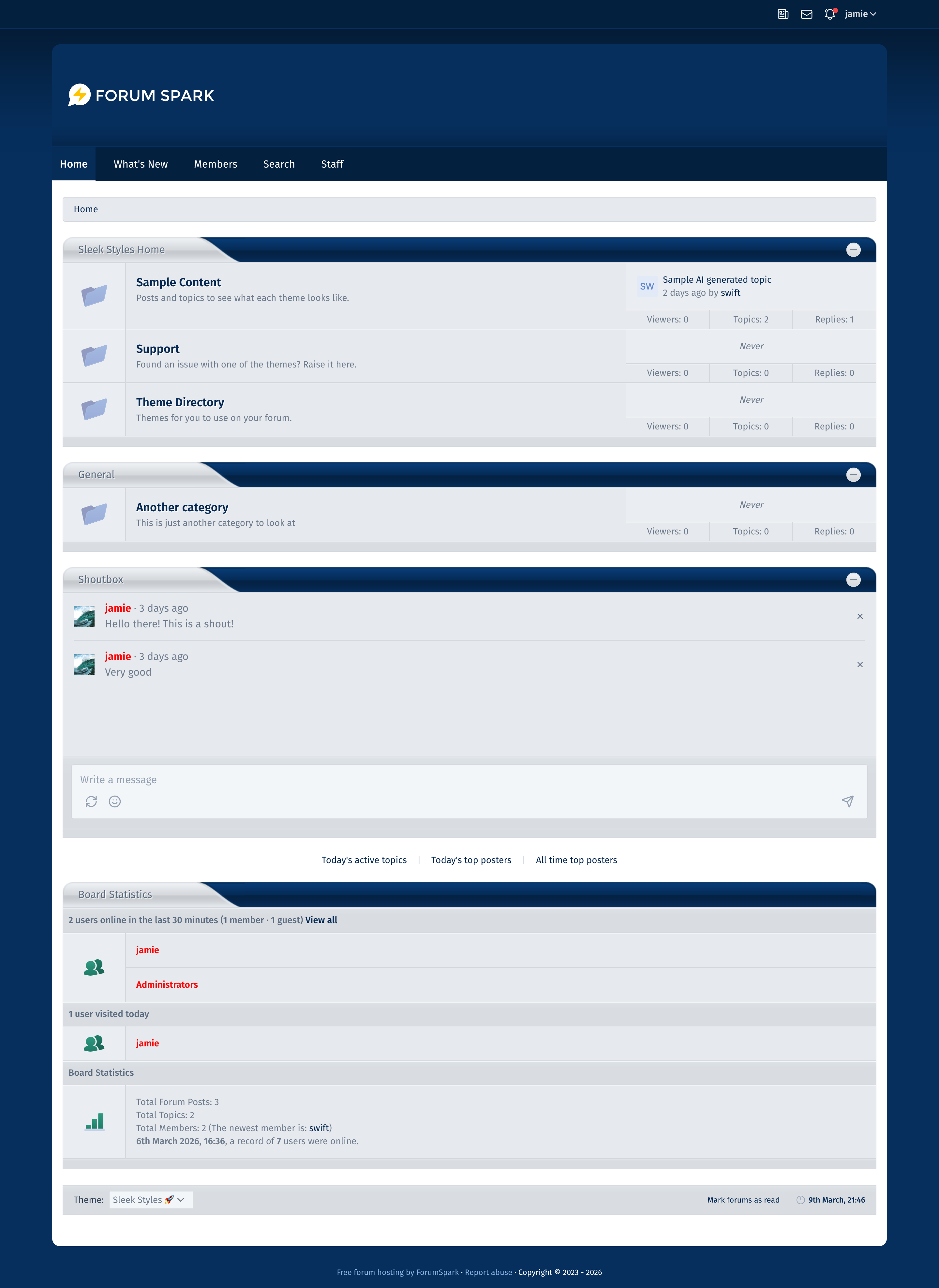
Sleek Styles Theme

Name: Sleek Styles
Author: Jamie
Version: 1.0.1

It's a bit silly really but I thought it'd be fun to convert my old Sleek Styles theme from back in the day.

Preview Theme

Download Theme JSON

Import the JSON as a new theme and update the settings so that it doesnt inherit from the default theme.

17 replies 187 Read more →
Cory ·Themes & Extensions ·7 months ago
Tabbed Categories

Preview

The first category is shown by default, and you can tab through the other categories with the buttons above the category.

Admin CP → Themes → Board Templates → Below the board

<script>
if (document.querySelector('div.forumlist')) {
    document.querySelector('div.forumlist').insertAdjacentHTML('beforebegin', `<div id="cat-tabs" style="margin: 1.5rem 0"></div>`);
}

const category = document.querySelectorAll('div[id^="fourm-"]');
const catTitle = document.querySelectorAll('div.category h2 a');

for (let i = 1; i < category.length; i++) {
    category[i].style.display = 'none';
}

for (const i of catTitle) {
    const tabButton = document.createElement('button');
    tabButton.type = 'button';
    tabButton.id = 'tab-' + i.parentNode.parentNode.parentNode.id.split('fourm-')[1];
    tabButton.className = 'btn btn-secondary btn-sm';
    tabButton.style.marginRight = '5px';
    tabButton.innerText = i.innerText;

if (document.querySelector('#cat-tabs')) {
    document.querySelector('#cat-tabs').appendChild(tabButton);
}
}

const tabButtons = document.querySelectorAll('#cat-tabs button');

for (const element of tabButtons) {
    element.onclick = function() {
        const forumID = 'fourm-' + this.id.split('tab-')[1];

    for (const x of category) {
        x.style.display = 'none';
    }

    document.querySelector('#' + forumID).style.display = 'block';
};
}
</script>
5 replies 70 Read more →
Cory ·Themes & Extensions ·7 months ago
Copy Code

Preview

When the "Copy Code" link is clicked, it will copy all code in between the code BBCode tags.

Admin CP → Themes → Board Templates → Below the board

<script>
const code = document.querySelectorAll('code');

if (code) {
    code.forEach(element => {
        element.parentElement.insertAdjacentHTML('beforebegin', '<a href="javascript: void(0)" class="copy-code" style="float: right">Copy Code</a><br>');
    });

const copyCode = document.querySelectorAll('a.copy-code');

copyCode.forEach(element => {
    element.addEventListener('click', function() {
        element.insertAdjacentHTML('beforeend', '<div id="code-copied" class="panel" style="position: absolute; border-width: 1px; border-radius: 5px; padding: 3px; color: initial">Code Copied</div>');
        const text = element.nextElementSibling.nextElementSibling.querySelector('code').innerText;
        navigator.clipboard.writeText(text);

        setTimeout(function() {
            document.querySelector('#code-copied').remove();
        }, 1000);
    });
});
}
</script>
Load more
ForumSpark © 2023 - 2026 · ForumSpark.net · Terms