

Arcade
The Arcade turns your board into a game room: 55 bundled HTML5 games your members play right on the forum, with high scores, a crown for the best score on every game, leaderboards, a daily challenge and member to member challenges.
yourboard.forumspark.net/admin/arcade/games
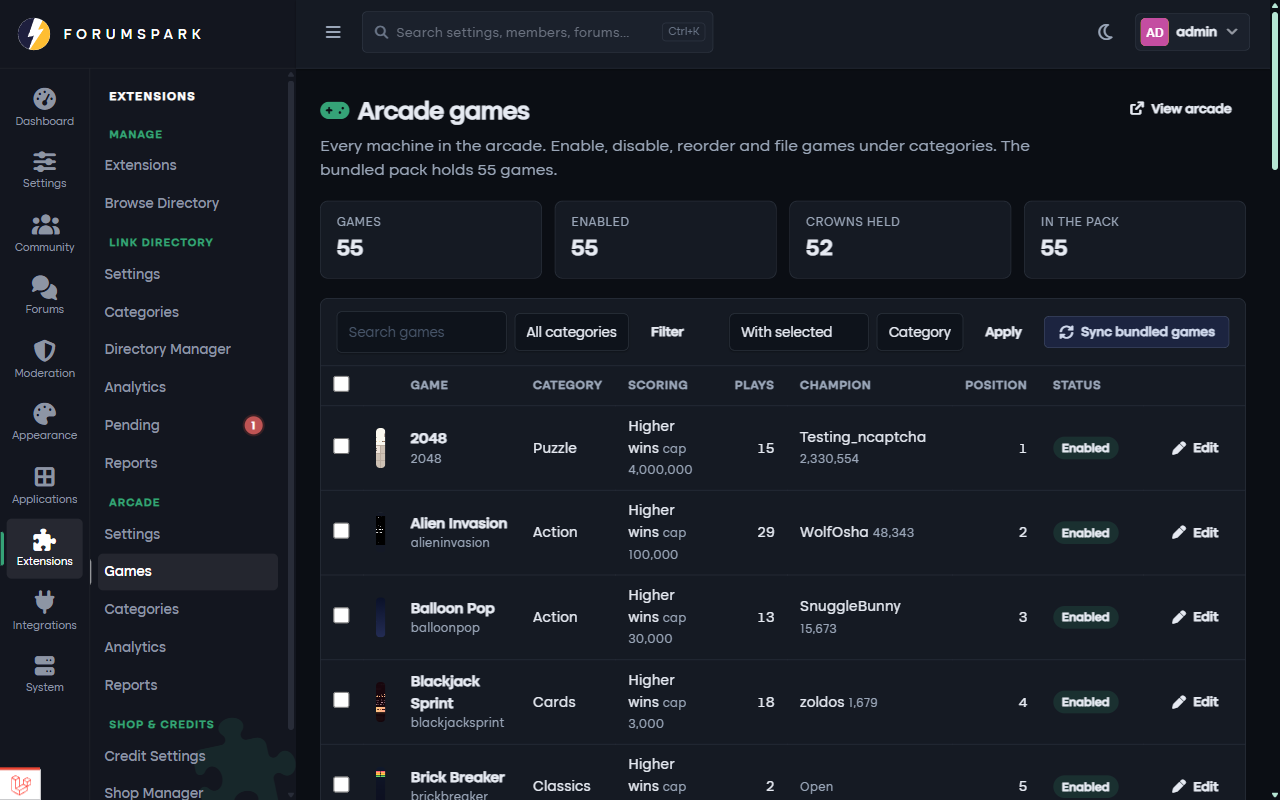
The Games page in the admin panel, where you enable games, set score caps and sort them into categories.
Switching it on
Install the Arcade from Extensions. Installing syncs the bundled games, creates the categories and adds an Arcade tab to your menu. Every member group gets the "play arcade games" permission except banned members, and guests can play too unless you switch guest play off in the settings.
Scores and crowns
Each play runs in a sandboxed frame with a server side session, so a score only counts when it arrives from a real run that lasted at least the game's minimum time and stays under its cap. The best score on a game wears the crown. Taking a crown from someone sends them a notification, and the Hall of Fame ranks members by the crowns they hold. Members can nudge the people they just passed.
Daily challenge
Every day the arcade picks one game for everyone. Each member gets one attempt at it, and the day has its own board. You can pin a specific game for today from the settings.
Challenges
Members challenge each other, or throw down an open challenge for anyone to accept, on a game of their choice with a window of one to fourteen days. Every score during the window counts and the better best wins when the window closes. With the Credits extension on, challenges can carry a stake.
Credits
When Credits are installed, a game can cost credits to play, pay a reward per play with a daily cap you set, and pay a bonus for taking its crown.
Managing the arcade
The admin pages cover settings, the games list with bulk enable, disable and move actions, categories with icons and colours, analytics per game, and the reports members send when a game misbehaves. The champions, top games, latest scores and daily challenge widgets can go on any widget area.
Pin a game of the week you know your members like and let the daily challenge rotate the rest. The Hall of Fame is what people compete for, so link it from a bulletin when the first crowns fall.