

Topic templates
Some forums keep asking the same questions: bug reports missing the version number, staff applications missing half the answers, trade offers without a price. Topic templates fix that by pre-filling the editor whenever someone starts a topic in a forum you choose.
yourboard.forumspark.net/admin/templates
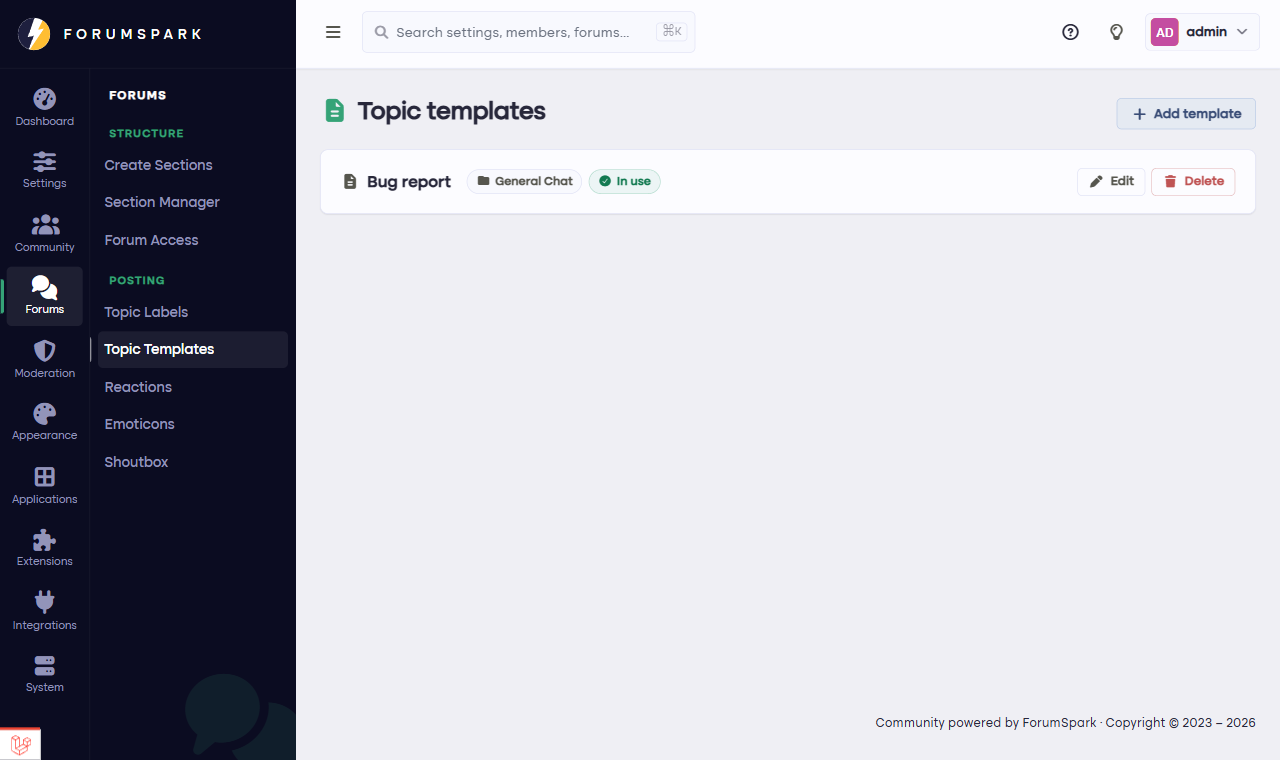
Configuration, then Topic Templates.
Making a template
Open Configuration, then Topic Templates and create a new one.
Write the template content in the editor, exactly as you want it to appear in the new topic form. Headings, bold questions, placeholder lines, all of it carries over.
Attach it to the forum (or forums) where it should apply, and save.
From then on, anyone starting a topic in that forum finds the editor already filled with your structure. They overwrite the placeholders and post; you get consistent, complete topics without moderating anyone.
Templates that work
Bug reports: What happened, What you expected, Steps to reproduce, Your device.
Introductions: a few friendly prompts beat a blank page for shy new members.
Applications and forms: every question in bold, answers underneath.
Keep templates short enough that filling them in feels helpful, not like homework. If members start deleting your template instead of filling it in, it's too long.