

First settings checklist
A new board works out of the box, but ten minutes of settings make it feel like yours instead of a template. This is the short list; everything else can wait until you need it.
Check your name and description. In Configuration, then Settings. The description shows up under your board name and in search engines, so one honest sentence about what your community is for goes a long way.
Decide how people join. Same settings page: registrations can be open to everyone, or you can require your approval for each new member. Approval is the calmer start if you're worried about spam; you can always open up later.
Give it your look. In Appearance, then Themes, open your theme and set your logo and colors. The Design and themes guides go deep here, but even just a logo makes the board feel real.
Set up how you appear in searches. In Configuration, then SEO & Sharing: a meta description, a share image for when links to your board land on social media, and the switch that controls whether search engines index you at all.
Look at your sections. In Community, then Section Manager. Your board starts with one forum; most communities want three to five to begin with. Fewer is better than more: empty forums make a board feel quiet.
Write your welcome. The starter welcome topic is fine, but it's a template. Rewrite it in your own words; it's the first thing new members read.
yourboard.forumspark.net/admin
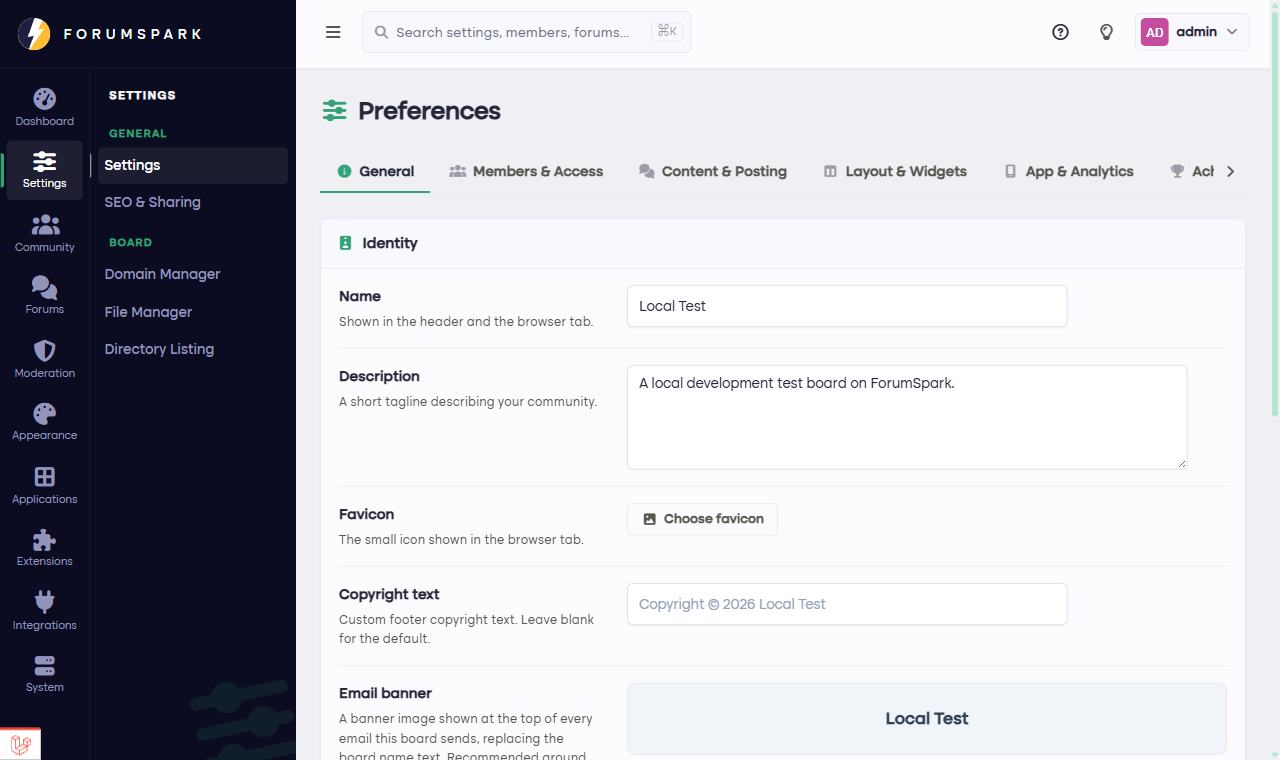
Configuration, then Settings: name, description and registration all live here.
Don't aim for perfect. Every one of these can be changed at any time, and boards evolve with their communities anyway. Good enough today beats perfect next week.
With the basics set, it's time to Invite your members.