

Bans and the spam filter
Most boards need the banhammer rarely, but when you need it, you need it to work properly. This guide covers banning members, the ban filters that keep them from coming back, the audit trail that shows you exactly what got blocked, and the network protection that means you'll ban far less often than you'd expect.
yourboard.forumspark.net/admin/bans
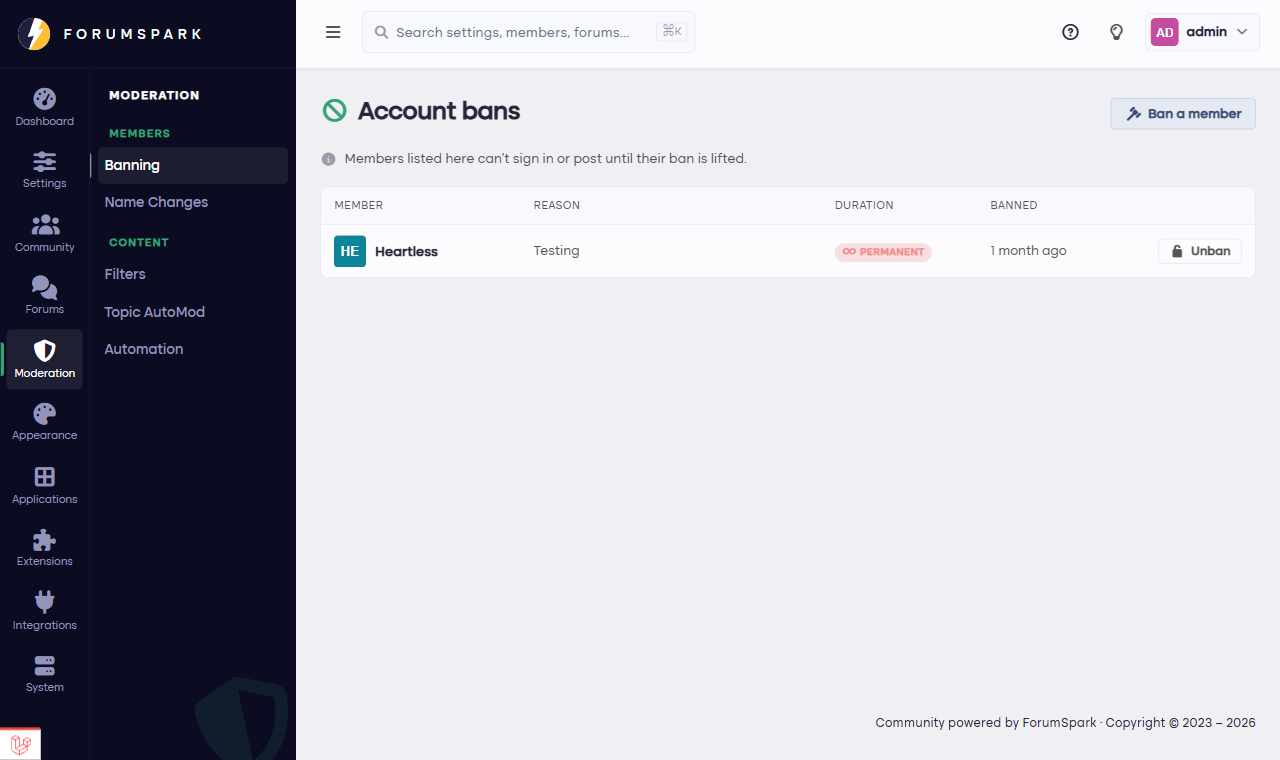
Community, then Banning.
Banning a member
From Community, then Banning, or straight from a member's profile, you can ban an account. Pick a duration: an hour, a day, a week, 30 days, permanent, or a custom length. A week off for a blowup is often more useful than an execution. The reason you give is shown to the member when they try to visit. Banned members keep their posts (history stays intact for everyone else's threads) but lose the ability to participate.
While banning, the also block options create matching ban filters for the member's email address and known IP addresses, so a fresh account isn't a way back in. Filters created this way stay linked to the ban: lift the ban, and its filters go with it.
Ban filters
The Filters tab blocks trouble before it has an account. Five kinds of filter are available:
Email address: blocks one exact address.
Email domain: blocks every address at a domain. The classic use is disposable email services.
IP address: blocks a single address.
IP range: blocks a whole network in CIDR notation, such as 185.220.101.0/24. Useful when someone keeps hopping addresses within the same provider.
Country: blocks a country outright, resolved at the network edge from the visitor's connection.
Every filter blocks matching registrations. Each one can carry a reason for your future self, and an expiry (a day up to a year, or never) so temporary trouble gets temporary filters. The Hits column counts how often a filter actually fired, which tells you when one has done its job, and when it never had one.
Blocking browsing too
By default, filters only stop registrations; visitors they match can still read. Turn on block browsing at the bottom of the Filters tab and visitors matching an IP or country filter can't view the board at all. Staff are never locked out, so you can't filter yourself off your own board.
Country bans are a blunt instrument: they block every reader from that country, including the lurker who was about to become your best member. Reach for them when a spam wave clearly comes from one place, and give them an expiry.
History
The History tab keeps every past ban: who was banned, by whom, and how it ended, whether it expired on schedule or a staff member lifted it early. When a member swears their ban came out of nowhere, this is where the receipts live.
Triggers
The Triggers tab is the audit trail: every time a ban or filter blocked someone, newest first. You'll see what was blocked (a registration attempt, a browsing visit, or a banned member knocking), which filter or ban did it, and the email, address or country involved. Records are kept for 30 days, enough to spot patterns without hoarding data.
The network
The Network tab connects your board to ForumSpark Aegis, the platform's shared defense. Spammers confirmed on other boards can be blocked from yours before they post a thing, and the bans you place can help protect everyone else. Two switches control it: protect this board and contribute our bans. Contributing shares only the spammer's identifiers, never your board's identity.
If the network ever flags something you know is fine (a shared school IP, a member with an unlucky email domain), add it as a local exception and it will never be blocked on your board.
Underneath all of this, the platform screens registrations before they ever reach you: known spammer lists, disposable email domains, and address patterns that flag industrial signups. This is maintained platform-wide, around the clock, which is why a ForumSpark board's spam experience is mostly reading about spam in guides like this one.
For the gray zone between fine and bannable, remember the gentler tools: staff permissions let moderators hide and moderate content, trust level gates keep brand-new accounts away from the sensitive stuff, and a scheduled ban with an honest end date de-escalates better than a permanent one you'll be asked to undo.