

Categories and forums
Your board's structure is made of two things: categories, the big headings on your board index, and forums, the places inside them where topics actually live. Getting this structure right is the single biggest thing you can do for how your board feels, and it's all managed in one place: Community, then Section Manager.
yourboard.forumspark.net/admin/forums
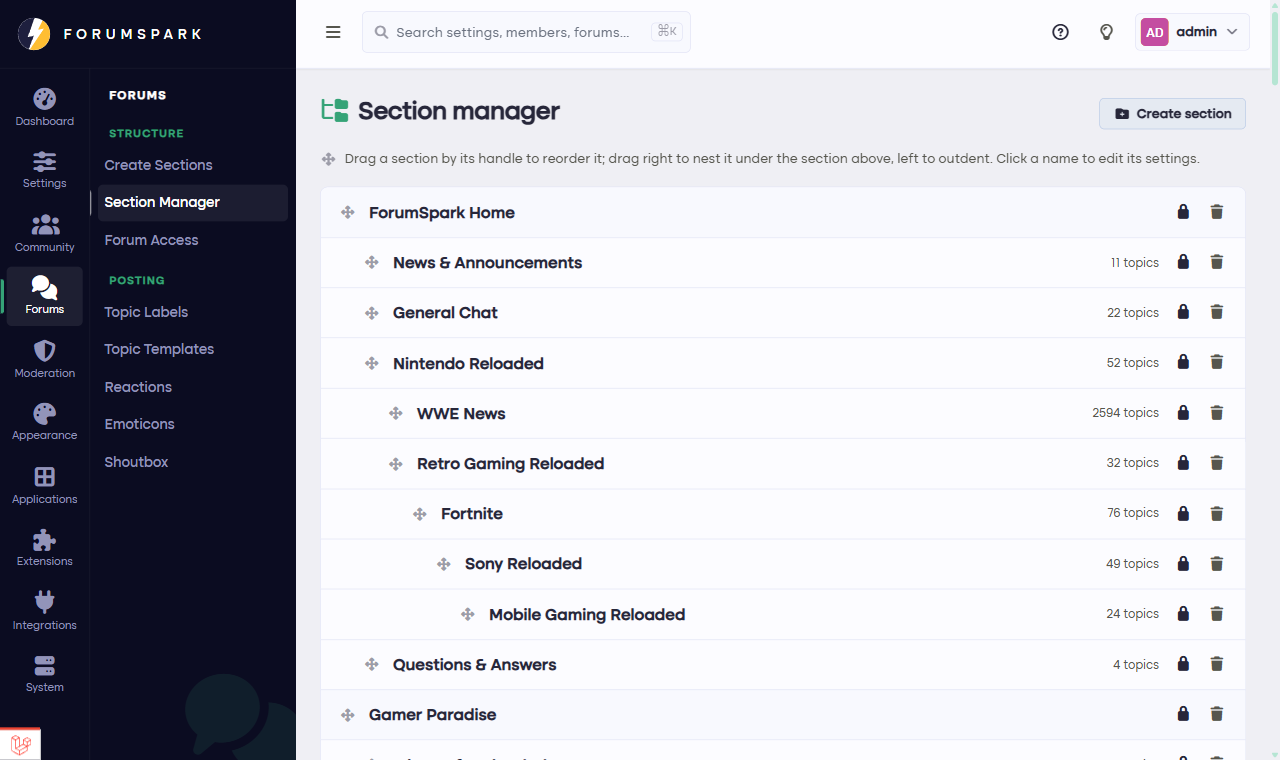
The Section Manager. Your whole structure in one tree.
Building the tree
New sections come from Community, then Create Sections. You pick whether it's a category or a forum, give it a name and a description, and place it. From then on, the Section Manager is where you shape things: drag any row by its handle to reorder it, and drag it slightly to the right to tuck it inside the section above. Forums can even sit inside other forums, which gives you subforums.
yourboard.forumspark.net/admin/forums/create
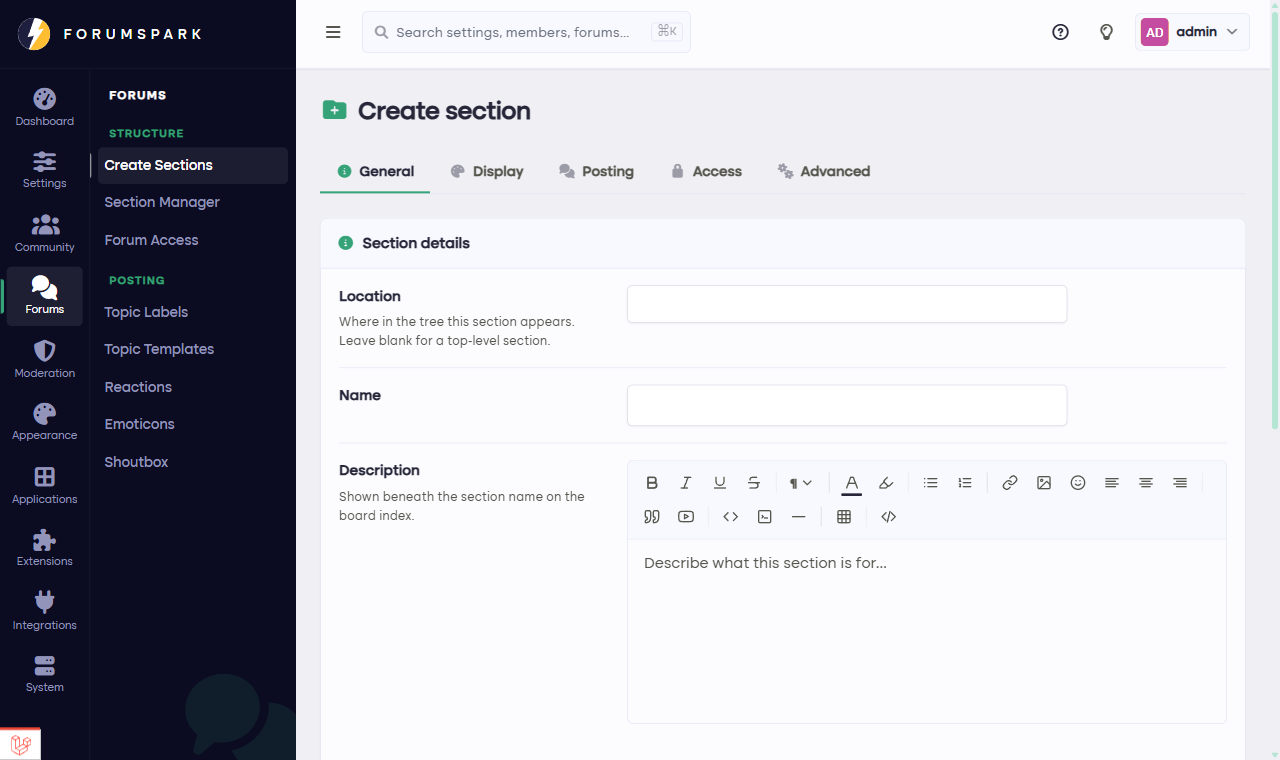
Creating a section: category or forum, name, description, done.
What a forum can be
Open any forum in the Section Manager to edit it, and you'll find a few personalities it can take on:
A regular forum, the classic: members start topics, others reply.
A Q&A forum, where topics behave like questions and the best answer can be pinned to the top. There's a whole guide on these: Q&A forums.
A redirect forum, which is just a link in forum clothing: clicking it sends members to any address you choose. Useful for pointing at your Discord or your rules page.
Each forum can also carry its own accent color, which tints its row on the board index, and its own marker icon.
Who sees what
Every forum's visibility is controlled per member group in Community, then Forum Access: who can see the forum exists, who can read topics, who can post. That's how you build staff-only forums, member-only lounges hidden from guests, or read-only announcement forums. There's also a special option for support-style forums where members only see their own topics, which staff see everything in.
Start small. Three to five forums is plenty for a new board; you can always split a busy forum later. A short, active board index beats a long, quiet one every time.