

Installing and managing extensions
Extensions are the optional wings of your board: Clubs, the Media Gallery, the Marketplace, the Link Directory and friends. Your board stays lean until you switch one on, and everything about that lifecycle happens in Extensions in the admin panel.
yourboard.forumspark.net/admin/extensions/browse
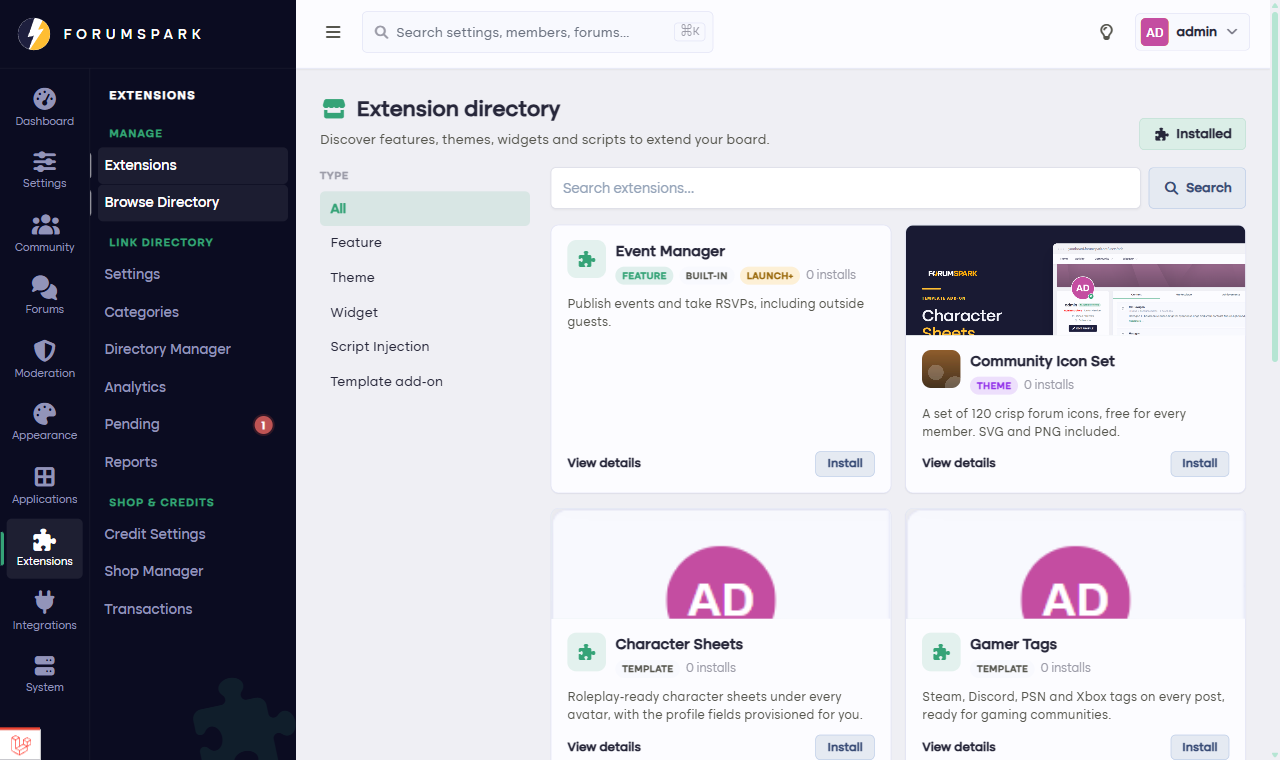
Browse, read, install. One click each way.
The lifecycle
Browse the directory and open an extension to see what it does, with screenshots.
Install it. Its admin pages appear in your sidebar, its public pages go live, and its widgets and menu items become available.
Disable it any time. This is the reversible off-switch: the extension vanishes completely from the board, menus, widgets, pages and all, but its data stays. Re-enable next season and everything is exactly where it was.
Uninstall when you're truly done: the extension cleans up after itself.
Disabled means invisible, everywhere, always. Members never see a stub, a broken link or an empty menu item for something you turned off. This rule is enforced across the whole platform.
Plans gate some extensions (the Premium page shows what's included in yours), and downgrading never destroys data: features go dormant and wake up when they're available again.