

Topic labels
Labels are the small colored chips on topics: Solved, Guide, Spoilers, Recruiting, whatever your community needs. They make topic lists scannable at a glance, and members can use them to signal what a topic is before anyone clicks it.
yourboard.forumspark.net/admin/labels
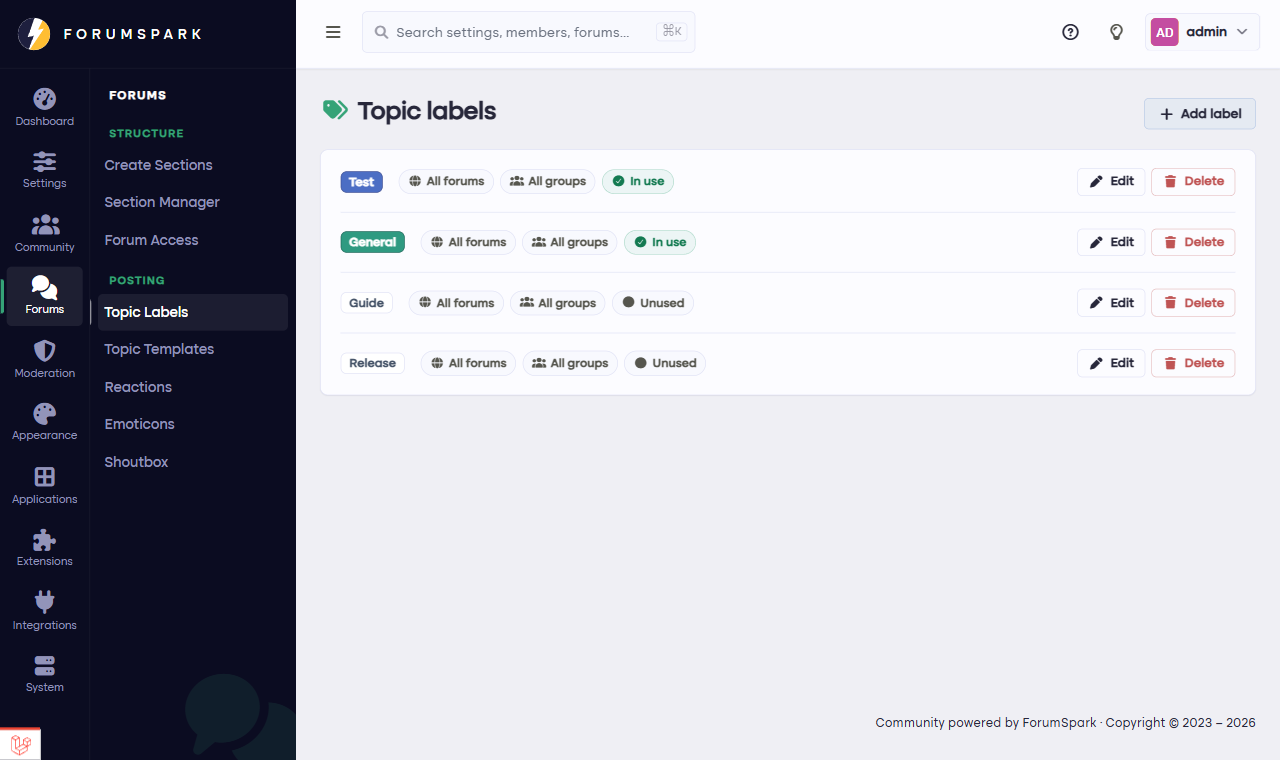
Configuration, then Topic Labels: your board's label set.
Creating your label set
In Configuration, then Topic Labels, each label is a name plus a color. Keep the set short and meaningful: five labels everyone understands beat twenty nobody uses. Colors do real work here, so give your most important label (Solved, or Official) the most distinctive one.
How members use them
When someone creates or edits a topic, they pick labels right in the topic form, and a topic can carry more than one: a topic can be both Guide and Beginner friendly at once. The chips show up on every topic list in front of the title.
Labels work beautifully together with Q&A forums: the Solved state is automatic there, and labels add the topic's subject on top. Question plus area, answered or not, all visible from the list.
Labels or forums?
A common structure question: should "Guides" be a forum or a label? A rule of thumb: if the audience is different, make it a forum; if only the flavor is different, make it a label. Labels keep related conversations together in one forum while still letting members filter the view by what they're in the mood for.