

Create your board
A board is your own forum: your address, your members, your rules, your look. Creating one takes about two minutes, and you don't need anything prepared. No credit card, no technical setup, just a name you like.
Every board starts with a 30 day free trial. You only pick a paid plan once you know you're staying.
The wizard, step by step
Head to forumspark.net and press Start free trial. The wizard asks for four things:
Name your board. This is the big name at the top of every page, like "Nightowl Gaming" or "The Plant Corner". Don't overthink it. You can rename your board any time in the settings, so your first idea is good enough to start with.
Pick your web address. Your board lives at yourname.forumspark.net, and this step decides the "yourname" part. Short and simple works best. If you own your own domain, you can connect it later on any plan, so this address never has to be the final one your members see.
Create your admin account. A username, an email address and a password. This account is the owner of the board: it can change everything, so use an email you actually check.
Agree to the terms and press create. ForumSpark now builds your board. It takes a few seconds, and you'll see it happen live.
forumspark.net/create-free-forum
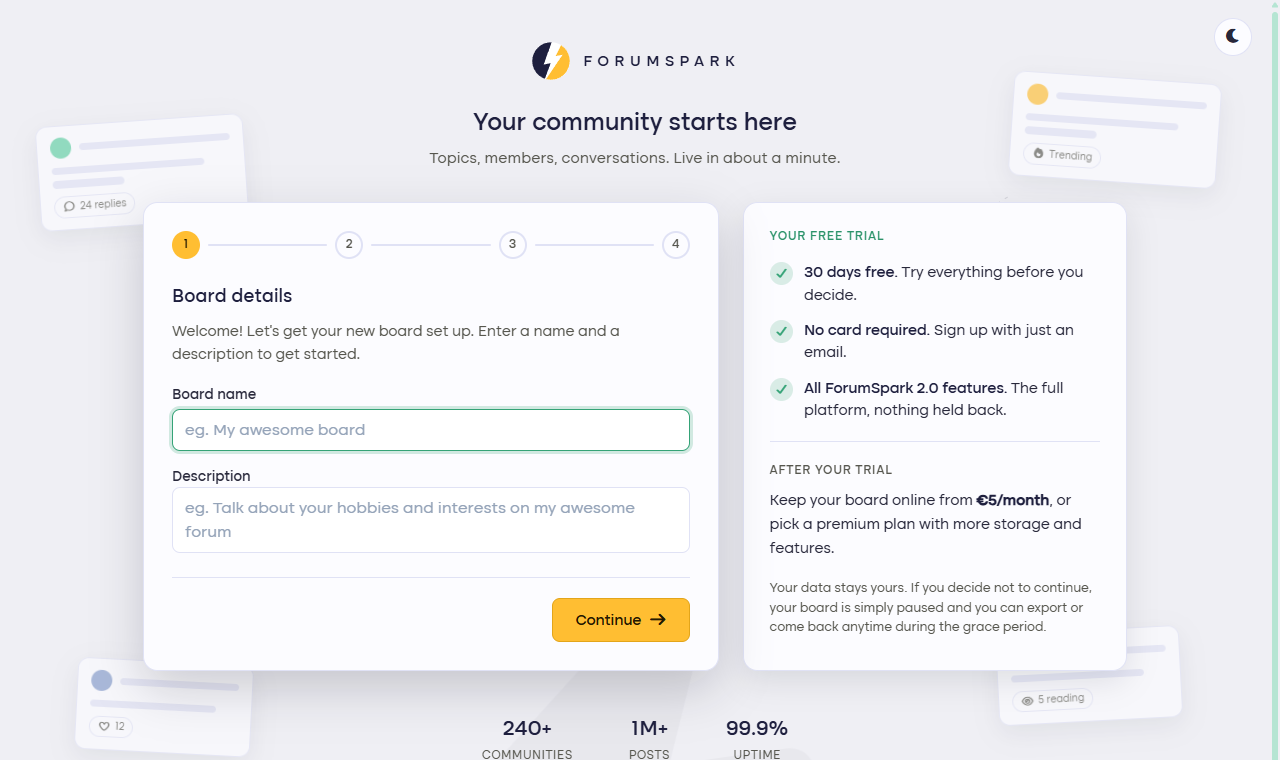
The first step of the wizard. Everything here can be changed later.
You have a board. Now what?
When the build finishes you land straight on your new board, signed in as the admin. It already works: there's a first forum waiting, a welcome topic, and a link to the admin panel in your user menu at the top right.
From here, two good next steps: walk through the First settings checklist to make the board feel like yours, or jump straight to Invite your members if your community is waiting somewhere else.
Moving an existing forum from XenForo or Jcink? Create your board first, then follow Import your forum. Your topics, members and posts come with you.