

Media gallery
Some communities are made of images: art boards, photography clubs, build showcases. The Media Gallery gives them a proper home, a browsable wall of member uploads instead of images buried in topic pages.
yourboard.forumspark.net/admin/gallery
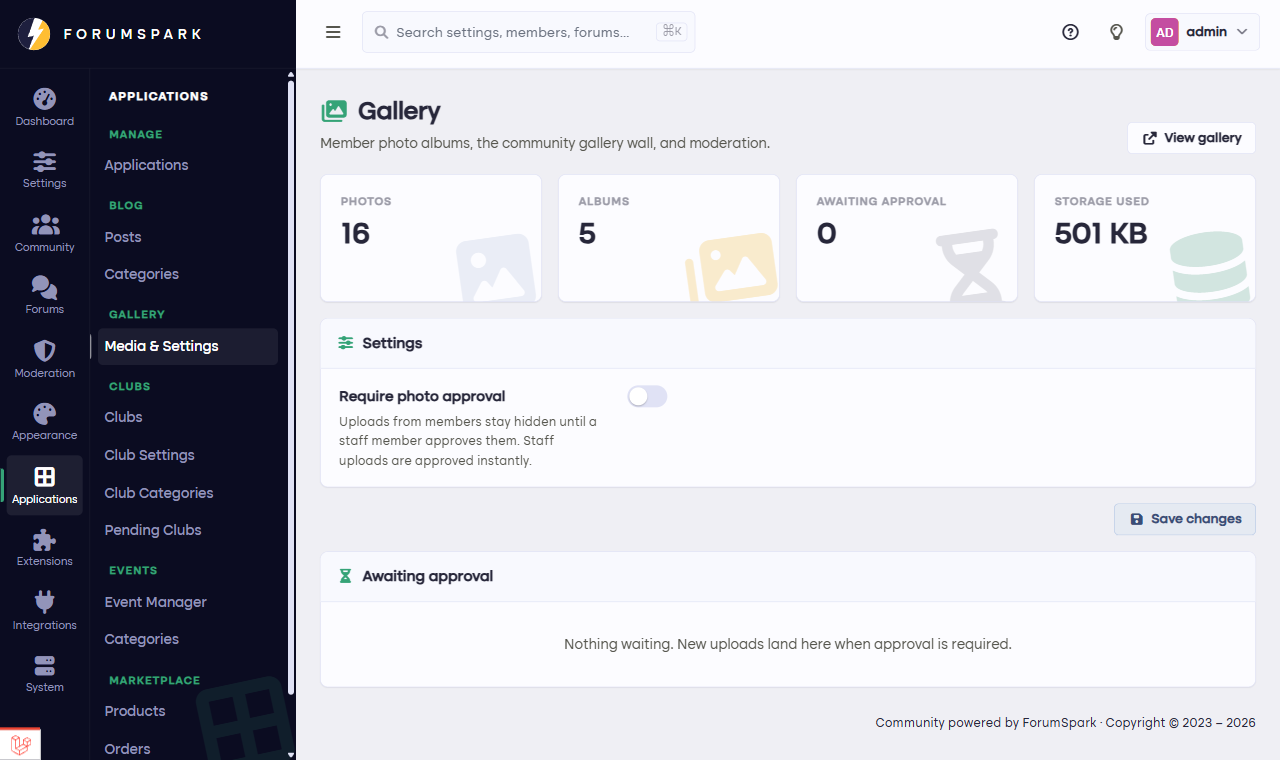
Media and settings in one place once the Gallery is on.
What members get
A gallery section on the board where uploads flow into a masonry wall, each photo opening in a lightbox with likes and comments. It's the scroll-and-admire experience image communities expect, native to your board and counted in your storage.
What you control
The main lever is approval: with it on, uploads wait for a staff pass before going public, which image boards with any public exposure usually want. Gallery uploads also respect your file rules, and the latest photos widget can put the newest uploads in your sidebar, which keeps the gallery discovered.
The Media Gallery comes with the Launch plan and up. Uploads count toward your storage, so image-heavy boards should glance at the File Manager now and then.
Seed the wall before announcing it. A gallery that opens with thirty good images teaches members what it's for; an empty one teaches them to forget it exists.