

The admin panel tour
The admin panel is your board's control room. Members never see it; you and the staff you invite will spend real time here, so it's worth a five minute tour before you start changing things.
To open it, click your avatar at the top right of your board and choose Admin. You can only see this link when your account has admin access.
yourboard.forumspark.net/admin
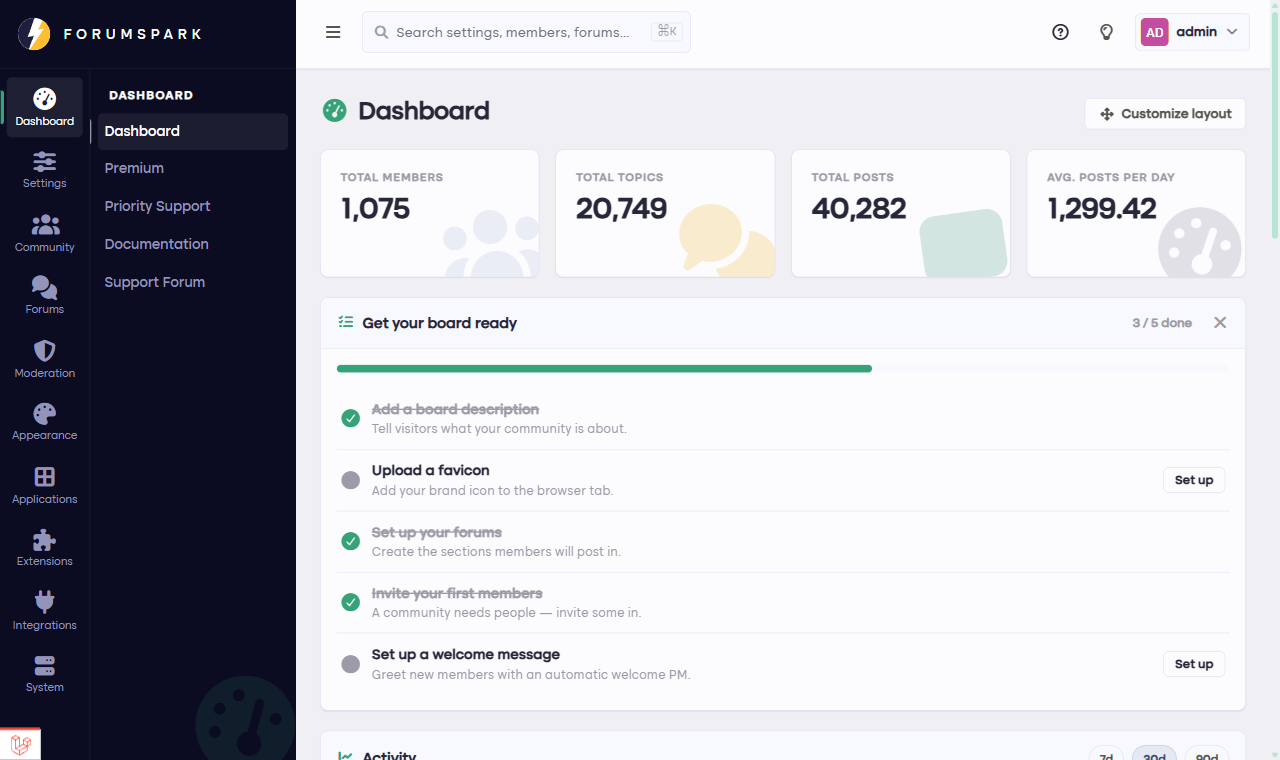
The dashboard: your board's activity at a glance, with the Get your board ready checklist for your first steps.
Finding your way around
The dark sidebar on the left is organized into groups, and each group collapses so the list stays manageable:
Overview holds the dashboard, your domain manager, the file manager and your plan. Day to day things about the board itself.
Community is about people and structure: your forums and sections, member groups and their permissions, banning, trust levels.
Configuration is the long list of switches: general settings, SEO, reactions, emoticons, topic labels, the shoutbox.
Appearance is how the board looks: themes, Custom Templates, widgets, the menu, and your pages.
Below those, extension groups appear as you enable them. Turn on Clubs and a Clubs group shows up with its settings; same for the Blog, the Gallery, the Marketplace and the rest. A quiet sidebar just means you haven't turned much on yet.
The search box at the top of the admin panel is the fastest way to anything. Type "labels" or a member's name and jump straight there, no menu hunting required.
You can't really break it
Almost everything in the admin panel is a setting, and settings can be changed back. The genuinely destructive actions, like deleting a forum full of topics, ask you to confirm first. So click around freely; that's what this tour is for.
Next up: the First settings checklist, the handful of settings actually worth touching on day one.