

Word filters
Word filters are your board's autocorrect for things you'd rather not host: slurs, spam phrases, the competitor's referral links, or just words that don't fit the room's tone. They act the moment content is posted, before a moderator ever needs to.
yourboard.forumspark.net/admin/bad-words
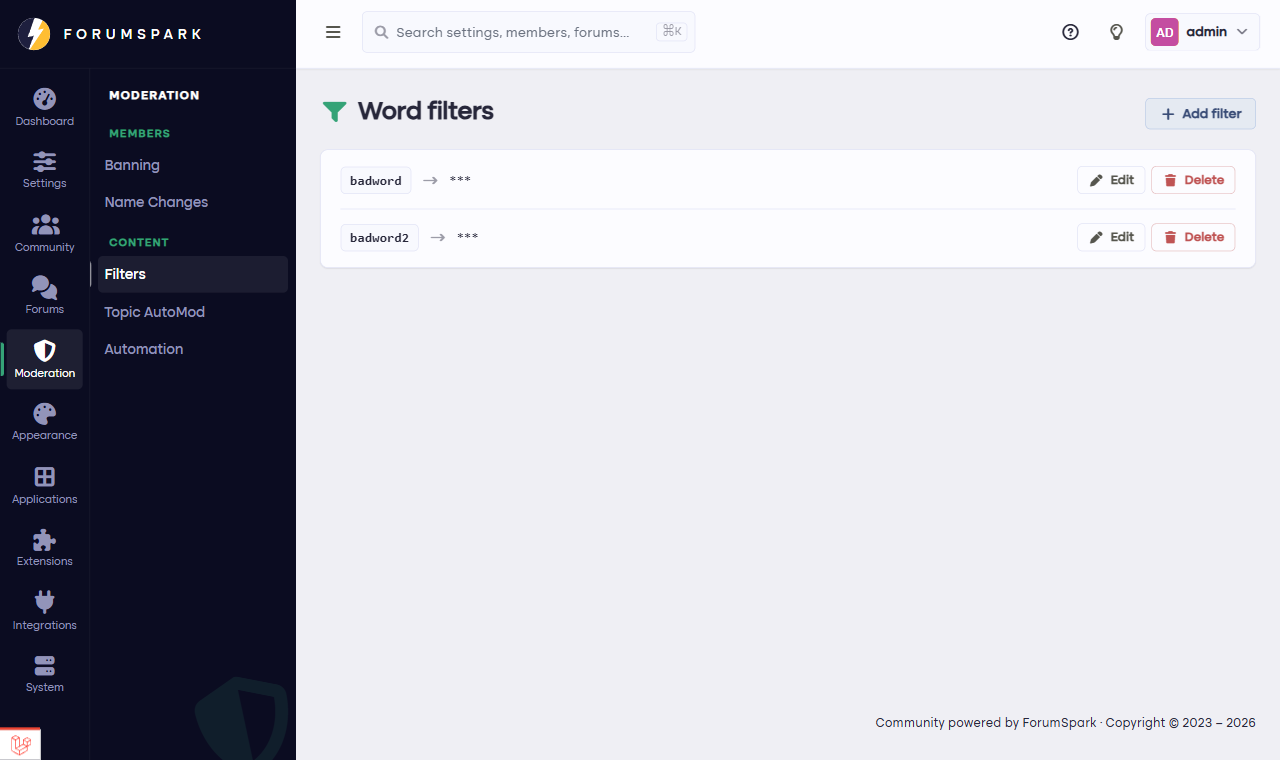
Configuration, then Filters.
How a filter works
Each filter is a word or phrase and what to do with it, typically replacing it with something else wherever members post. The classic setups: profanity softened to asterisks, a slur list removed outright, and joke replacements where your community's forbidden word becomes something funnier (every good board has one of these).
Where filters reach
Filters apply to member-posted content across the board, so the coverage is consistent: a word your topics won't show doesn't sneak through in a reply.
Filters are for words, not for people. If one member keeps finding creative spellings to dodge your list, that's a conversation (or a moderation action), not a filter arms race you can win with regex.