

The widget library
Widgets are the panels in your board's sidebar: recent activity, statistics, birthdays, whatever helps your members at a glance. The library in Appearance, then Widgets holds everything available to your board.
yourboard.forumspark.net/admin/widgets
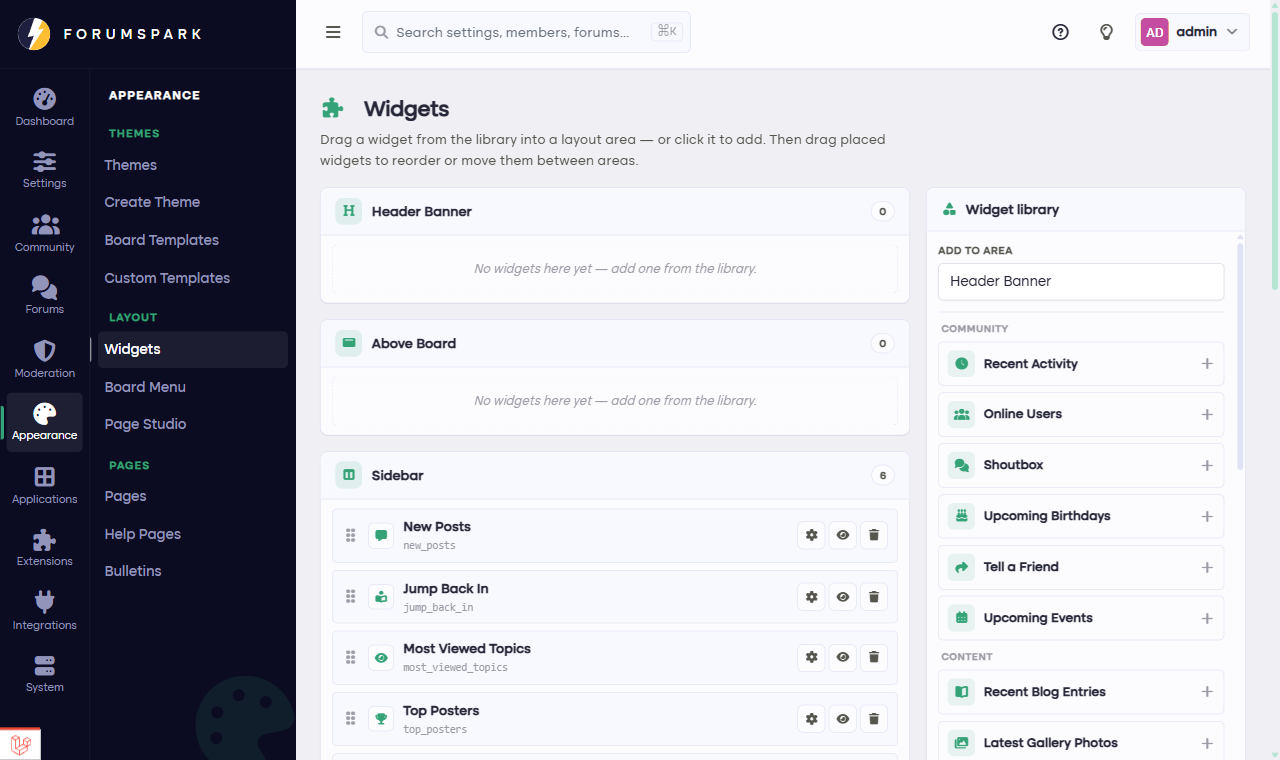
The widget library and your arrangement, one page.
What's in the library
Activity widgets: new posts, recent topics, and the jump-back-in panel that greets returning members with what changed since their last visit.
Community widgets: board statistics, who's online, birthdays, leaderboards.
Content widgets: similar topics beside the one you're reading, and more.
Extension widgets: enabled extensions bring their own, like the gallery's latest photos. Turn an extension off and its widgets vanish from the board automatically.
Your custom widgets, which get their own guide next.
Widgets have settings
Most widgets are configurable: how many items to show, whether to show snippets, that kind of thing. The best sidebar shows a little of a lot, so lean toward fewer items per widget and more variety.
Members can dismiss individual widgets for themselves if you allow it (the switch lives in Configuration, then Settings, under Layout & Widgets). Allowing it is friendly: power users tidy their own sidebar and everyone else never notices.