

Custom profile fields
Every community has its own questions. A gaming board wants your main character and platform; a writing circle wants your genre; a local club wants your neighborhood. Custom profile fields let you ask, and put the answers where they matter.
yourboard.forumspark.net/admin/fields
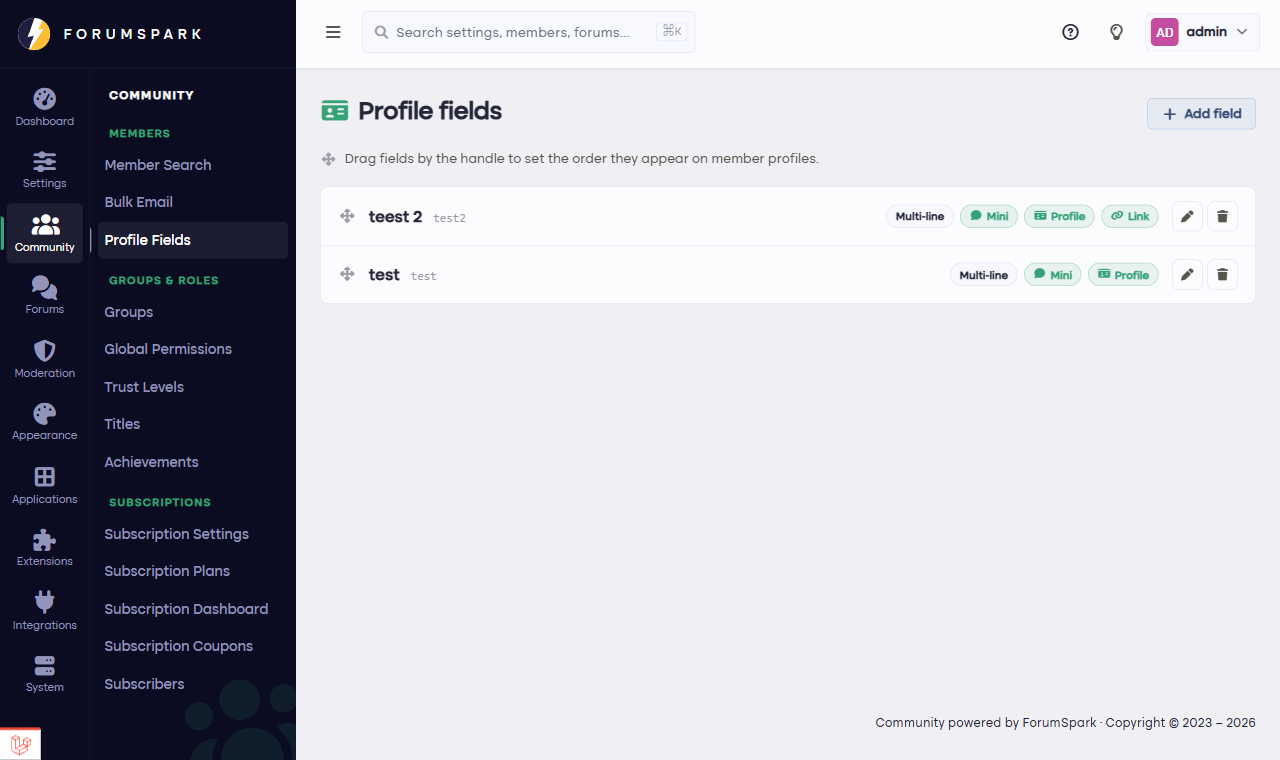
Community, then Profile Fields.
Creating fields
In Community, then Profile Fields you define each field: its name, its type (text, longer text, choices and more), and where it shows. Members fill them in on their profile settings, and the answers appear on their profile and, if you choose, beside their posts.
The postbit trick
Fields shown beside posts are what turn a forum into a character-driven place: the roleplay board where every post carries the character sheet, the trading community where every post shows the member's timezone and platform. Combined with Custom Templates, you control exactly how those fields render, which is the beloved old-forum tradition ForumSpark was built to keep alive.
Ask few questions and make them count. Three fields everyone fills in beat ten that stay empty, and optional beats required for everything except what your community genuinely can't function without.